Move your work from Wattpad to BunCho
Keep your original work and bring the parts you need into BunCho.
What each tool offers
| Item | Wattpad | BunCho |
|---|---|---|
| Workflow | This guide covers manuscript transfer into BunCho; current Wattpad features were not verified. Official source | Write with chapters and character sheets, then use your story and assets in the comic or video editors. |
| Transfer | Prepare files you own or may use. | Imports text and headings, without images/layout. Up to 2 MB and 200 sections. |
| Pricing basis | Official page could not be retrieved; pricing is unverified. Check source | JPY monthly plans before tax: ¥1,500 / ¥3,000 / ¥5,000 / ¥30,000. Monthly credits: 2,250 / 5,000 / 10,000 / 70,000. Current plans |
Checked 2026-10-11. Currencies, billing periods, included usage and license terms differ. Amounts are not converted or presented as equivalent value.
Three steps to bring your work over
- Prepare your own manuscript as TXT, Markdown, DOCX, or EPUB. Proprietary project formats are not imported directly.
- Open Import in the BunCho work list, select the file, and check the chapter/section/text preview.
- Confirm ownership and save a private draft. Continue writing, or open the comic editor when available.
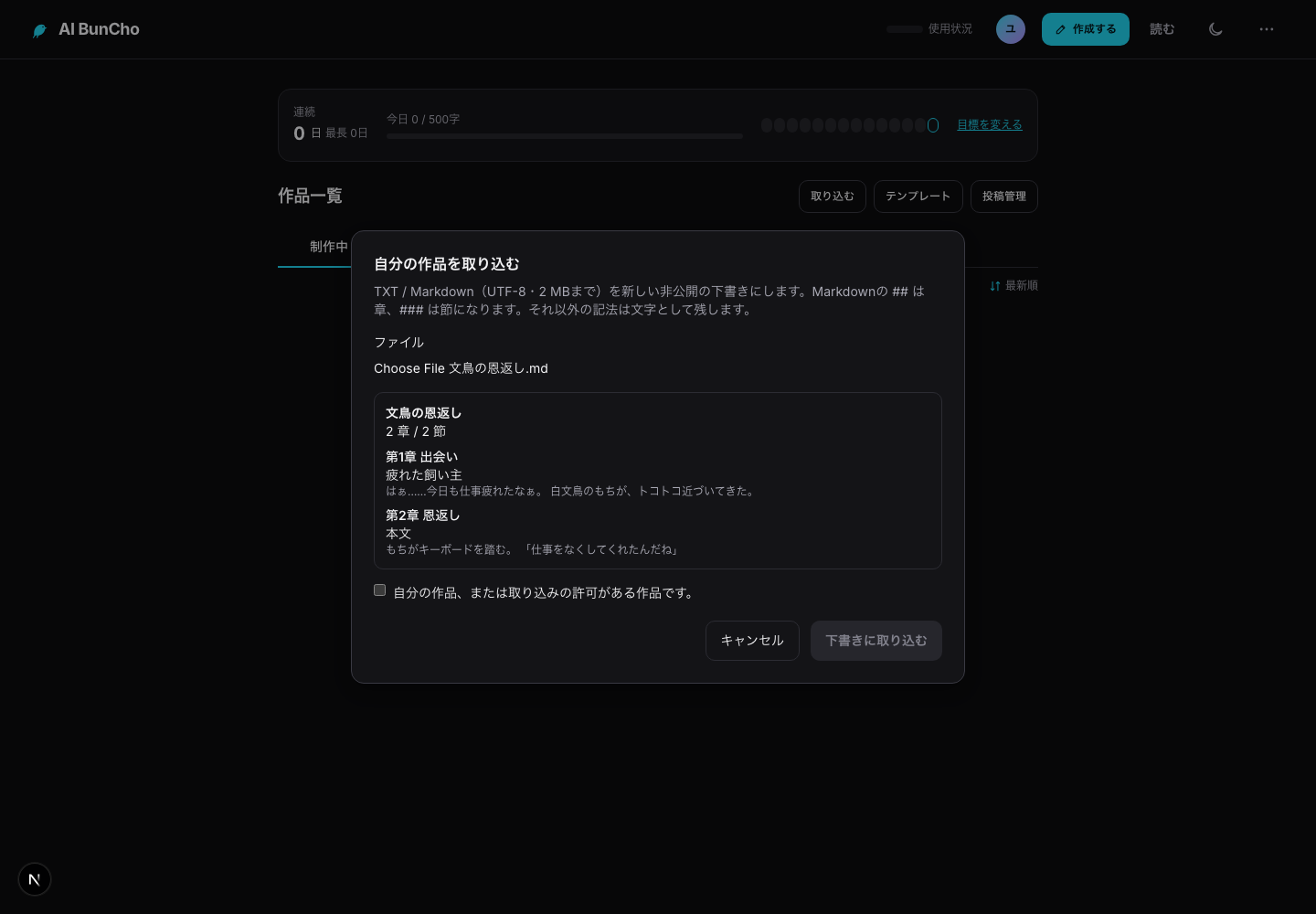
Transfer time depends on file size and preparation. Native project compatibility varies by format.
FAQ
Will this delete my original work?
No. BunCho creates a separate draft; it does not modify your source account.
Is the full project recreated?
Imports text and headings, without images/layout. Up to 2 MB and 200 sections.
Can I export again?
Novels can be exported as DOCX, EPUB, TXT, or Markdown.
Other migration guides
AIのべりすと · NovelAI · Sudowrite · Novelcrafter · ゆっくりMovieMaker4 · CapCut · Canva · Runway · Anifusion · KomikoAI · WEBTOON CANVAS · Suno ·
This is an independent BunCho guide, not an endorsement or partnership with the named service. Product names belong to their respective owners.