Solo TTRPG with AI: How to Play a Tabletop RPG Alone
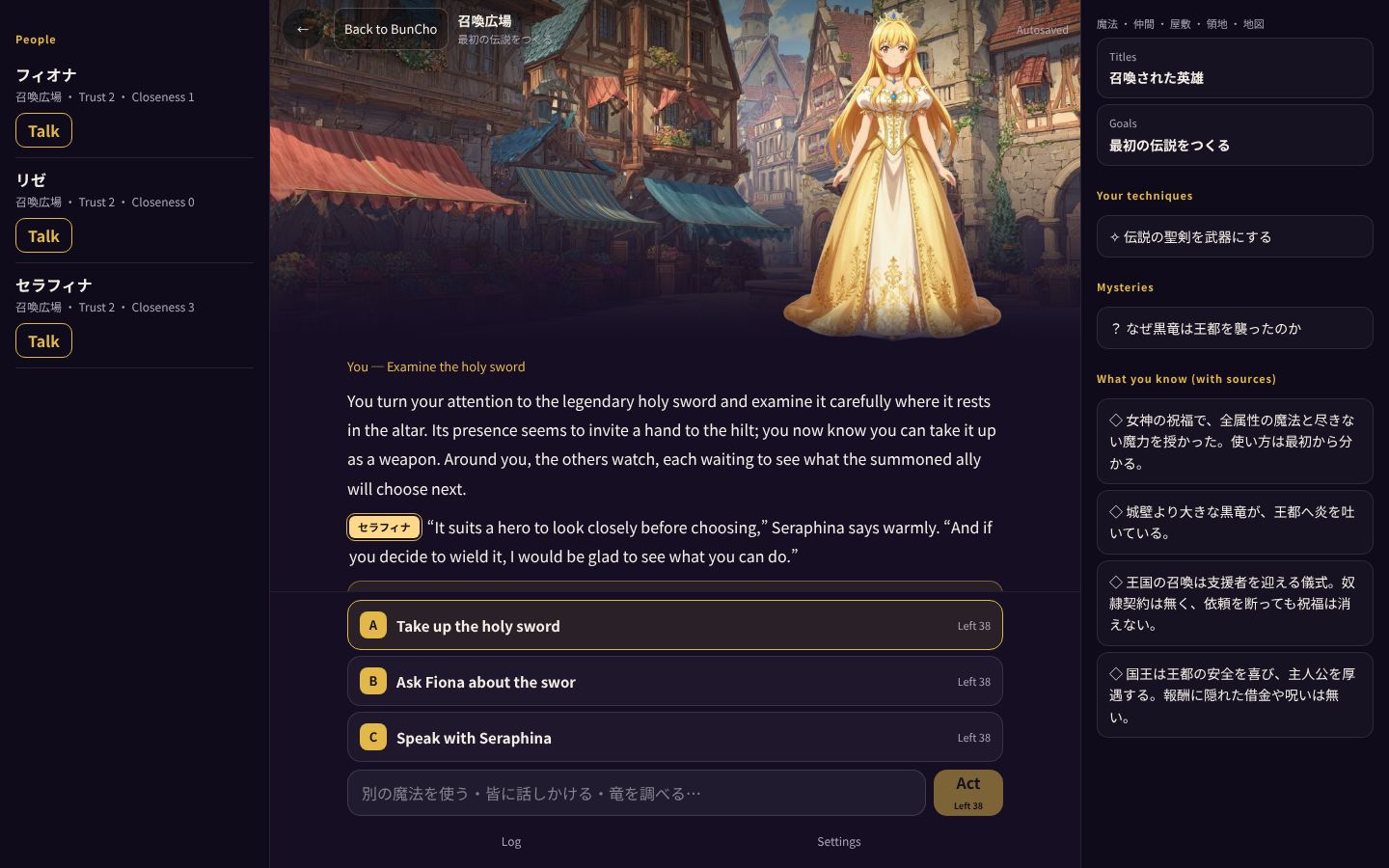
You want to play a tabletop RPG, but your group can't find a date, or nobody wants to run the game. One answer is to hand the game master (GM) role to an AI and play solo. Using BunCho Play, a text RPG where an AI plays the GM and the characters, this guide walks through getting started, writing actions, picking up where you left off, and how many turns you can play for free, with real screenshots.
Playing a tabletop RPG alone means someone has to take the GM role
A tabletop RPG moves forward through an exchange: the game master (GM) describes the scene, the players decide what to do, and the GM tells them what happens. When you play alone, the biggest question is who handles the GM's part.
The traditional route is to act as your own GM with a solo scenario book or random tables. It's easy to set up, but the story stays within what the tables cover, so there are fewer surprises. If you let an AI act as GM, it responds even to actions you write freely, so the back-and-forth feels closer to playing with another person.
- Solo scenarios and tables: little prep, but the story stays within the tables
- An AI as GM: responds to free-form actions. Pick one that keeps a record, so the story keeps its thread
- A table with friends: the liveliest option, but everyone has to find a date
How to play solo in BunCho Play
-
1Open the game
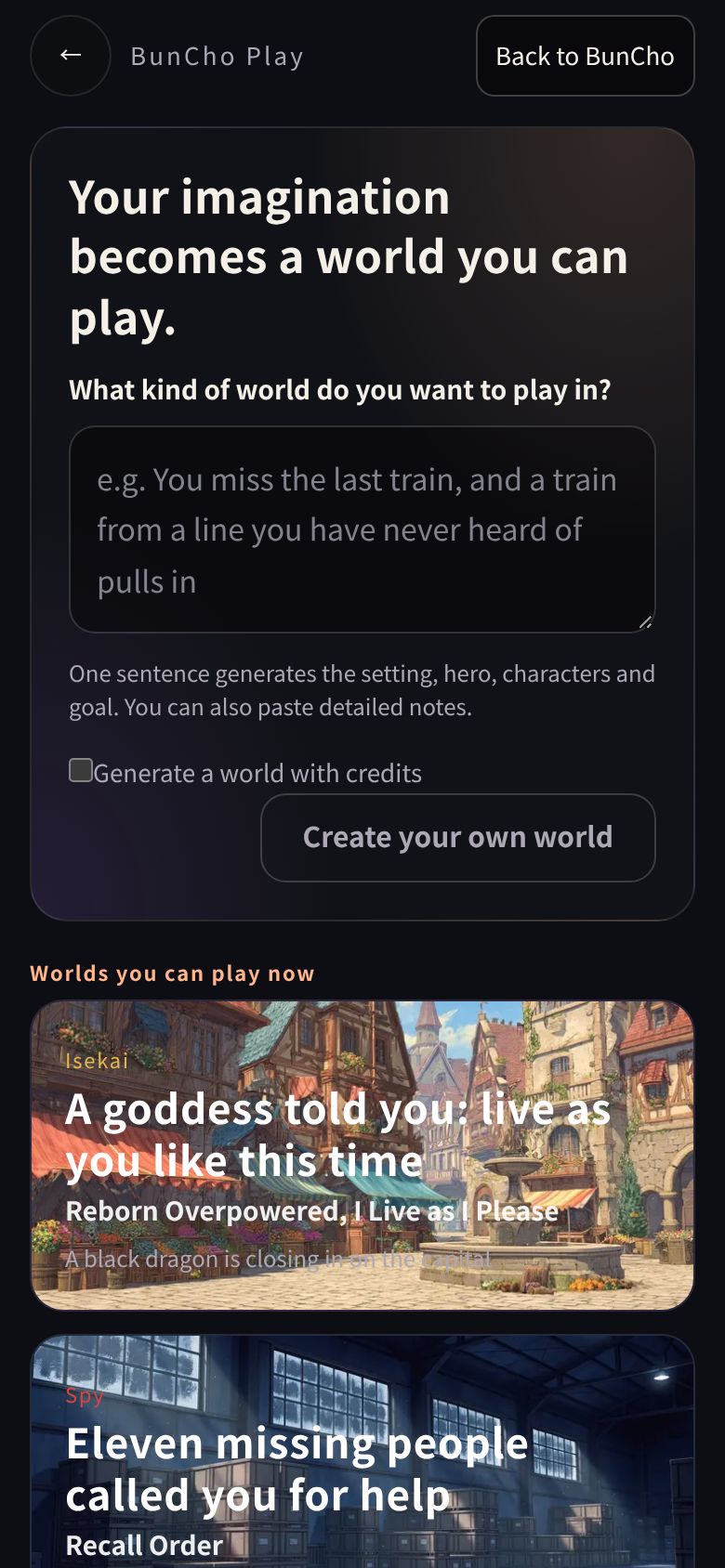
Open BunCho Play in your browser. You can start without an account.
-
2Pick a world
Choose from isekai, spy, idol, romance, life and school worlds. You can also describe the world you want in one sentence and create it.
-
3Read the first scene
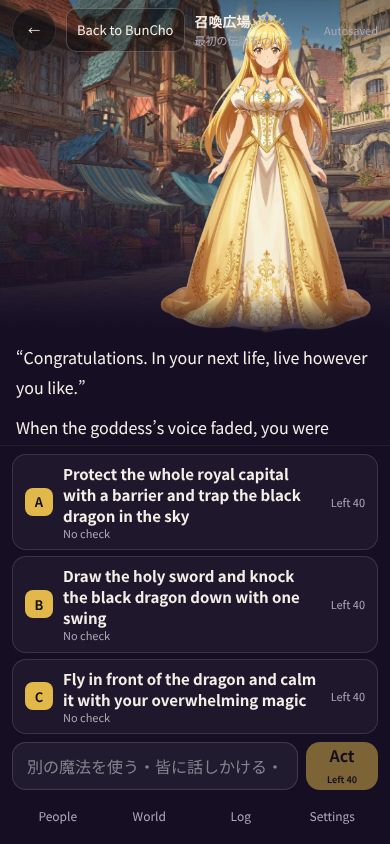
The GM sets the scene and a character speaks to you. Three suggested actions appear below as A, B and C.
-
4Pick an action or write one
Tap a suggestion, or type what you want to do in the input box and send it. Actions that aren't on the list work too.
-
5Read the result and act again
The GM narrates the result, and characters' reactions and what you've learned are updated. Repeat this to move the story forward.
Tips for writing actions
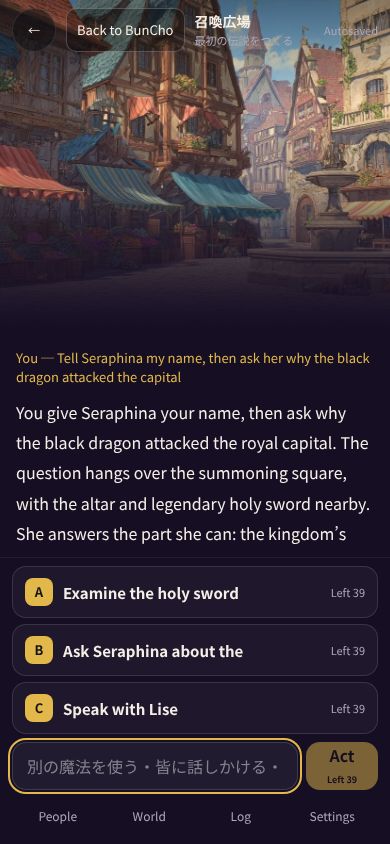
The AI GM takes the action you write as it is and narrates the outcome. If your action says who you're dealing with, what you do and how, the scene is more likely to go the way you meant.
- Name who you're talking to: "Tell Seraphina my name, then ask her why the black dragon attacked the capital"
- Say what you're trying to achieve: "Raise a barrier to protect the castle gate"
- Keep it to one or two actions at a time: split a long plan across several turns
- Not sure? Tap a suggestion: suggestions come from actions that fit the current scene
- Actions that don't fit the world's rules may be declined: the reason is shown, so try something else
Why the story holds together when you play alone: the record
In a long solo game it's easy to forget what was decided earlier, or for the story to contradict itself. BunCho Play keeps a record beside the story: what you know (with the scene where you learned it), promises, items, techniques you've worked out, and each character's trust and closeness. The GM uses this record when narrating the next turn.
Adventures are saved automatically, so you can play a few turns, close the page, and continue from the same point next time. If you're logged in, you can keep going on another day or another device.
Ways to enjoy playing alone
When you play alone there's nobody else to keep pace with, so the story can follow your own taste. Once you're used to it, try playing like this.
- Replay the same world with different choices: changing just your first action changes how characters react and what you learn
- Take time to talk with characters: use Talk on a character to speak with just them. As trust and closeness change, so does the narration
- Chase a mystery that caught your eye: go and test the questions left under mysteries in your record through your own actions
- Just a few turns before bed: it saves automatically, so you can play in short sessions and keep going
How many turns you can play for free
Regular turns use no credits. How many turns you can play per day depends on whether you're logged in and on your plan.
| Status | Turns you can play |
|---|---|
| No account | About 30 turns. After that, log in to continue the same adventure |
| Free plan | Your first 40 turns (including those played before logging in), then 10 a day |
| Perch | 30 a day |
| During the free trial | 100 a day |
| Watering and higher paid plans | Up to 600 a day (fair-use limit) |
See also: Plans
Before you play
- The story text and art are generated by AI. They may contain things that aren't true or take turns you didn't expect
- It's single-player for now. Several people can't share the same table
- Sexual content involving minors cannot be created. In worlds with high-school characters, romantic actions are restricted
- Mature settings are available only to users who have completed age verification
FAQ
Can I play a tabletop RPG alone without knowing the rules?
Yes. The GM (the AI) handles the rules. You read the scene and pick or type what you want to do.
How is this different from chatting with an AI?
There are world rules and a goal, and the story moves forward as a result of your actions. What you learn and promise is recorded and used in later narration.
Can I play on my phone?
Yes. Just open it in your browser; there's no app to install.
Is it OK to stop partway through?
Adventures are saved automatically. If you're logged in, you can continue on another day or another device.
Pages we checked for this guide
- BunCho Play (AI TRPG) bun-cho.work · primary source
- AI BunCho plans bun-cho.work · primary source
Features, prices and screens are as of October 30, 2026 and may change. Images are actual BunCho screens (some show the Japanese interface) and samples made in the Studio. Japanese original