Free AI Text Adventure: How to Start in Your Browser and What's Free
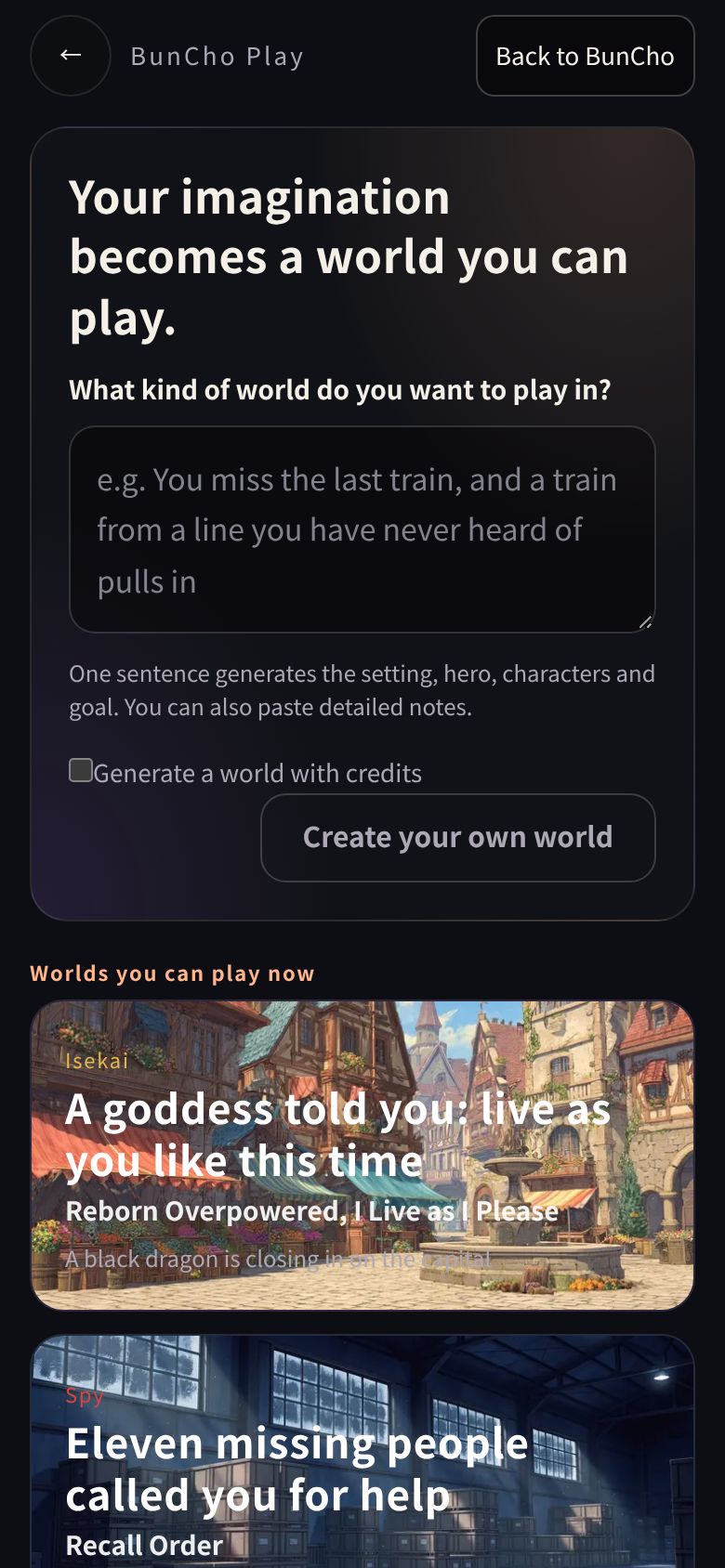
In an AI text adventure, an AI describes each scene and you move the story forward by picking a choice or writing an action in your own words. Using BunCho Play, which runs in your browser, this guide shows with real screenshots how to start without signing up, how many turns are free, which worlds you can play right away, and how to create your own world.
What is an AI text adventure?
Classic text adventures only accepted prepared choices or a fixed set of commands. In an AI text adventure, an AI narrates the scene and responds even to sentences you write freely, and the story moves on from there. Because the AI acts like a tabletop RPG's game master (GM), these games are also called AI TRPGs.
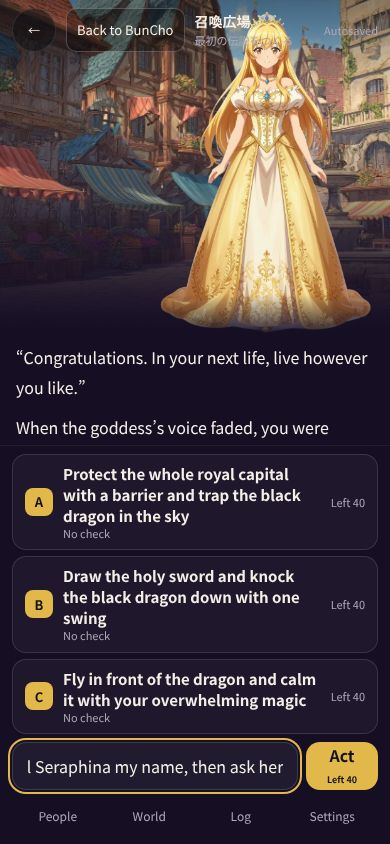
In BunCho Play you can play just by tapping the A, B and C suggestions, or by writing actions in your own words. What happened, what you learned, promises with characters and your items are recorded and used in the next narration.
Play with choices, or write freely
In BunCho Play, suggested actions A, B and C appear every turn. They're built from actions that fit the current scene, so when you're unsure or want to move quickly, you can play just by tapping them.
You can also type actions that aren't among the suggestions. Talk to a character, use an item, take a detour: when you act on your own ideas, the story heads somewhere that's yours alone. Either way, what happens is recorded in the same way.
- Tap a suggestion: when you want to move quickly or get a feel for the story
- Write freely: when there's something you want to try, or a relationship you want to deepen
- Mix the two: follow the suggestions to get the flow, then use your own words at the moments that matter
How to start without signing up
-
1Open it in your browser
Open BunCho Play. No app to install and no sign-up needed.
-
2Pick a world
Choose from the six ready-to-play worlds. Tap a card and the first scene begins.
-
3Act
Tap a suggestion, or type what you want to do in the input box and send it.
-
4Log in to keep going
After about 30 turns, log in (free sign-up) to continue the same adventure.
See also: BunCho Play (AI TRPG)
What you can play for free
Regular turns use no credits. How many turns you get per day depends on whether you're logged in and on your plan. Creating worlds is free too: you can make up to 2 a day without logging in, or 3 a day when logged in.
| Status | Turns you can play |
|---|---|
| No account | About 30 turns |
| Free plan | Your first 40 turns (including those played before logging in), then 10 a day |
| Perch | 30 a day |
| During the free trial | 100 a day |
| Watering and higher paid plans | Up to 600 a day (fair-use limit) |
See also: Plans
On a phone or a computer
BunCho Play runs in your browser, so it plays the same way on a phone or a computer. On a phone, the narration and suggested actions are stacked vertically, and you open the characters and the record from the people, world and record tabs at the bottom of the screen. On a computer, the characters and the record sit on either side of the narration, so you can check the record while deciding your next action.
If you're logged in, you can play on your phone during your commute and continue the same adventure on your computer at home. Adventures are saved automatically, so there's nothing to save by hand.
Six worlds you can play now
- Isekai, "Reborn Overpowered, I Live as I Please": A goddess told you: live as you like this time
- Spy, "Recall Order": Eleven missing people called you for help
- Idol, "STAR//RISE — Until I Take Center": Right before the last audition, your pass was taken away
- Romance, "The Secrets of the Five Who Love Me": Your engagement was announced without asking you
- Life, "Life, Redo It Your Way": You woke up and you were eighteen again
- School, "After Class, I Don't Want to Go Home Yet": On your first day, three classmates asked you to hang out
See also: Browse by genre (with backdrops and character art)
Create your own world and play it
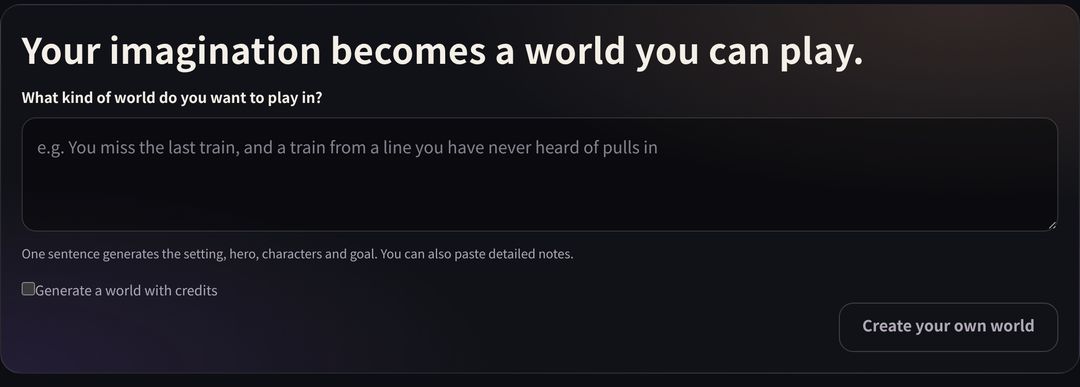
Describe the world you want to play in one sentence, and a setting, hero, characters and goal are generated so you can start right away. For example: "I miss the last train, and a train from a line I've never heard of pulls in." You can also paste setting notes you've written yourself to build it in more detail. For each world you make, you choose who can see it: just you, anyone with the link, or everyone (public).
See also: Create your own world and play it
Before you play
- The story text and art are generated by AI. They may contain things that aren't true or take turns you didn't expect
- Sexual content involving minors and content that harms real people cannot be created
- Mature settings are available only to users who have completed age verification
- If you build a world from someone else's characters or setting, mind the rights to that work
FAQ
Is it really free to play?
Yes. Regular turns use no credits. You can play about 30 turns without an account; on the free plan you get your first 40 turns, then 10 a day.
Can I play on my phone?
Yes. Just open it in your browser.
Which languages can I play in?
The game screen is available in English, Japanese, Spanish, Portuguese, Traditional Chinese, German and French. Some labels may still appear in Japanese.
Is my progress saved?
Adventures are saved automatically. If you're logged in, you can continue on another day or another device.
Pages we checked for this guide
- BunCho Play (AI TRPG) bun-cho.work · primary source
- AI BunCho plans bun-cho.work · primary source
Features, prices and screens are as of October 30, 2026 and may change. Images are actual BunCho screens (some show the Japanese interface) and samples made in the Studio. Japanese original