AI Game Master for Tabletop RPGs: What It Does and Doesn't Do
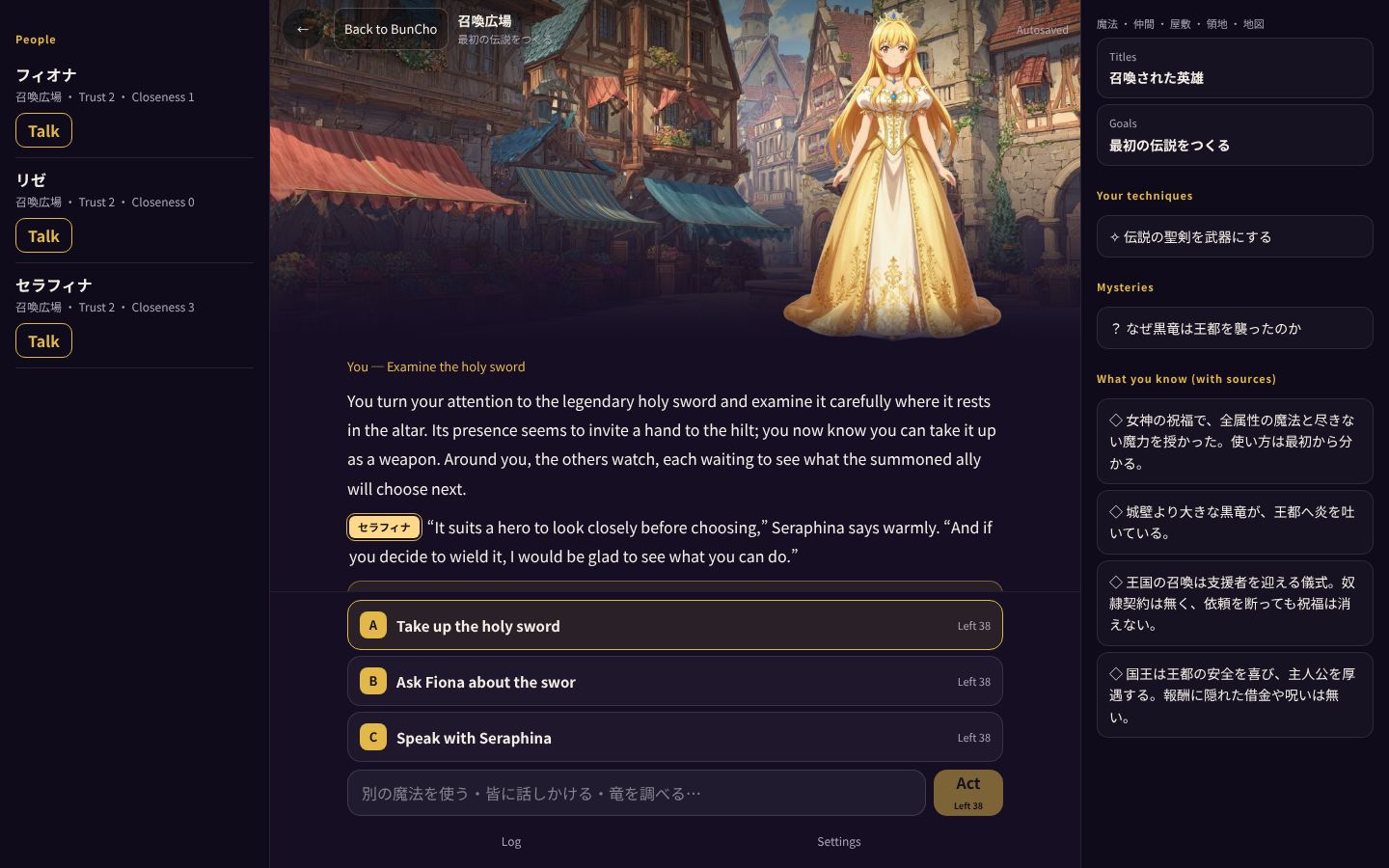
A tabletop RPG's game master (GM) describes scenes, plays the characters, decides what happens when you act, and keeps track of the story. Using BunCho Play, a text RPG where an AI is the GM, this guide shows with real screenshots what an AI GM actually does, what it remembers, and how it differs from a human GM.
The four jobs an AI game master handles
Each time you send an action, the GM in BunCho Play does the following four things at once. All you do is read the scene and pick or type what you want to do.
- Narrates the scene: describes the result of your action with setting and dialogue
- Plays the characters: each answers in their own voice and mood, and their trust and closeness change with what you do
- Makes checks: some actions call for a check, and each suggestion shows whether it needs one
- Keeps the record: known facts (with where they came from), promises, items and mysteries are listed beside the story
A real exchange: turn 1 and turn 2
-
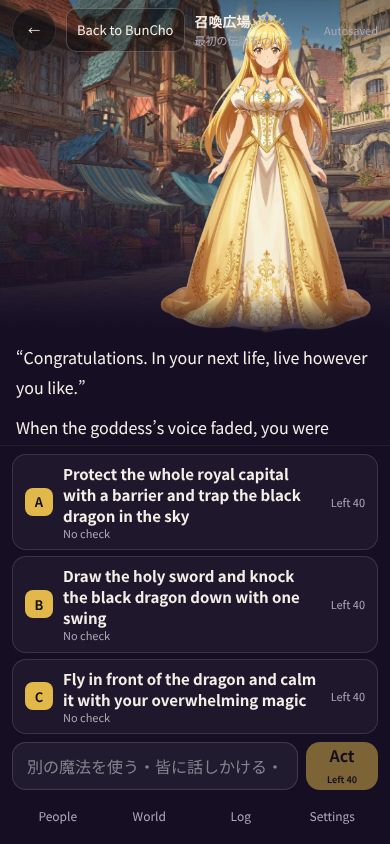
1The opening scene
In the isekai world, a goddess tells you to live as you like. Then a princess asks your name and a black dragon breathes fire on the royal capital. The three suggestions are to protect the city with a barrier, strike the dragon down with the holy sword, or calm it with your power.
-
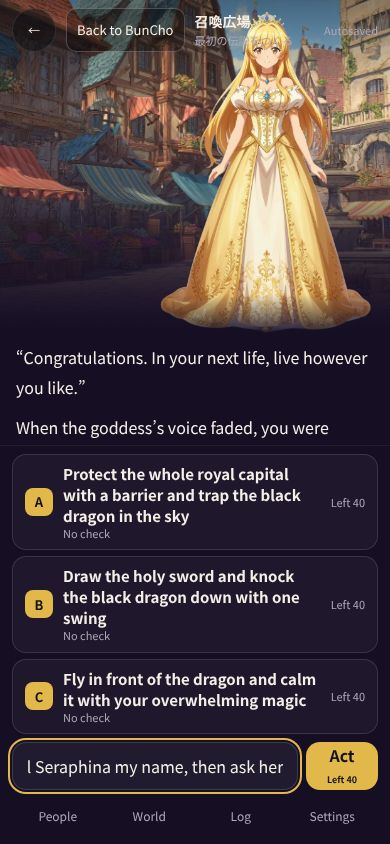
2Act in your own words
Instead of tapping a suggestion, we typed and sent "Tell Seraphina my name, then ask her why the black dragon attacked the capital."
-
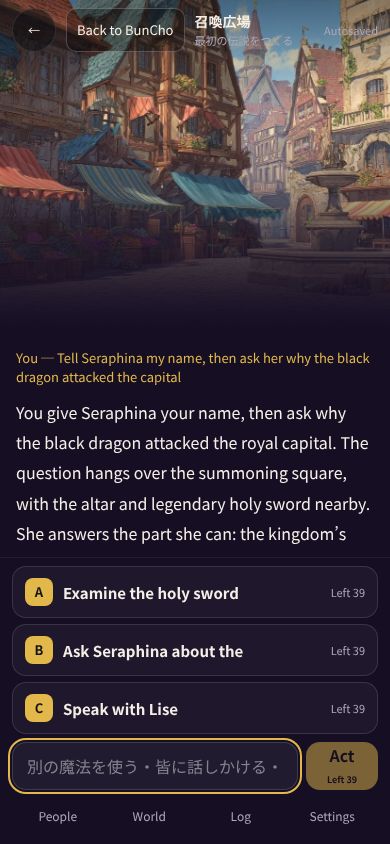
3The GM answers as the character
Speaking as the princess Seraphina, the GM took our name, explained that the summoning is "a ritual to welcome a supporter," and said she doesn't know why the dragon attacked either. This was added to what you know.
-
4The record grows on the next turn
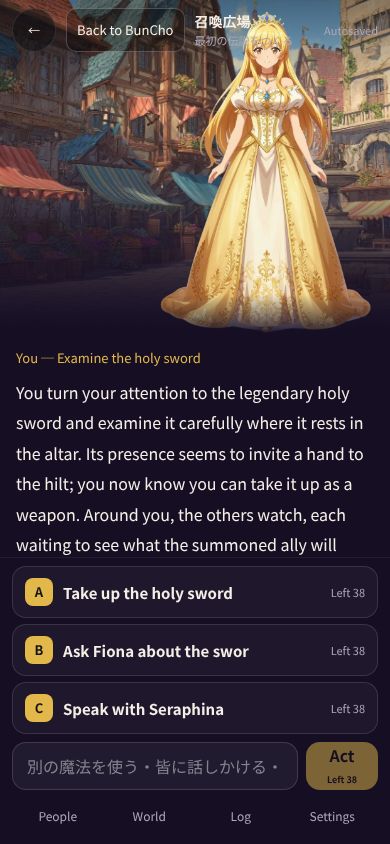
We picked one of the suggestions. The hero took up the holy sword and drove the dragon back, and a title, a promise, an item and a technique were added to the record.
What the AI GM remembers
When you hand a long story to an AI, it's natural to worry that it will contradict what was settled earlier. The GM in BunCho Play records what happens in a fixed format and uses it in the next narration. You can see the same record beside the story.
| Record | What it holds |
|---|---|
| What you know | Facts you've learned, and the scene where you learned each one |
| People | Trust and closeness, which change with what you do |
| Promises | Promises made with characters (for example: call me by my name, not "hero") |
| Items and techniques | Things you've picked up and techniques you can now use |
| Mysteries and goals | Mysteries not yet solved, and your current goal |
Where to see the record
On a computer, the characters (with their trust and closeness and a Talk button) are on the left, the GM's narration and suggested actions are in the middle, and titles, goals, promises, items, techniques, mysteries and what you know are listed on the right. On a phone, you can open the same information from the people, world and record tabs at the bottom of the screen.
The record is what the GM draws on when narrating the next turn, so it also gives you clues when deciding what to do next. For example, it becomes easier to write actions like going to check a question left under mysteries, or going to meet someone you made a promise to.
How it differs from a human GM
An AI GM is a GM for solo play. It suits playing any time, at your own pace, as often as you like. Reading the mood of a group around the table and changing course, or bending the rules on the spot because it feels right, remains a human GM's territory.
In BunCho Play, actions that don't fit the world's rules may be declined. When that happens the reason is shown, so try another action.
- Good for: playing alone, in spare moments, and continuing later
- Not for: several people sharing one table (it's single-player for now)
- The story is AI-generated fiction and may include things that aren't true
Tips for playing with an AI GM
The AI GM takes the action you write as it is. A little care in how you write it makes the scene more likely to match what you pictured.
If things aren't working, try breaking your action into shorter steps, or tap a suggestion once to get a feel for the flow of the scene, then go back to your own words.
- Say who, what and how: "Leave the castle gate to the knight, and protect the princess myself"
- Add your feelings or reasons: when there's a reason, characters react in line with it
- Check the record before your next move: what you know, promises and mysteries are clues for your next action
- If an action is declined, read the reason: actions that don't fit the world's rules may be declined
- Split long plans: one or two actions at a time makes the results easier to follow
How to try an AI GM
BunCho Play opens in your browser, and you can try about 30 turns without an account. After that, log in (free sign-up) to continue the same adventure. Regular turns use no credits. On the free plan you can play your first 40 turns, then 10 a day.
See also: AI game master (BunCho Play) / Plans
FAQ
Does the AI GM roll dice?
Some actions call for a check, and each suggested action shows whether it needs one. The GM handles the check.
Can the AI GM turn down an action?
Actions that don't fit the world's rules may be declined. The reason is shown, so try another action.
Does the AI also run worlds I create?
Yes. Describe the world you want in one sentence and a setting, hero, characters and goal are generated, and the same GM runs it.
Can several people play together?
Not yet; it's single-player for now.
Pages we checked for this guide
- BunCho Play: AI game master bun-cho.work · primary source
- AI BunCho plans bun-cho.work · primary source
Features, prices and screens are as of October 30, 2026 and may change. Images are actual BunCho screens (some show the Japanese interface) and samples made in the Studio. Japanese original