AI novel editor
A novel editor that rewrites chapter by chapter from one instruction
Type a one-line request such as "make this more gripping". You first see which chapters and sections will change and how many credits it will use. Rewrites appear as diffs, and only what you accept goes into your manuscript.
Try the novel editorSee pricing
Free plan, no card needed. Paid plans start with a 7-day free trial (card required at sign-up).
Screenshots show the Japanese version of the studio. The studio is also available in English, Spanish, Portuguese and Traditional Chinese.
What it does
-
Instruct or ask, in one box
"Edit" changes the text; "Ask" answers without touching your work. Target a selection, a section, a chapter or the whole work, and use @ to point at chapters or characters.
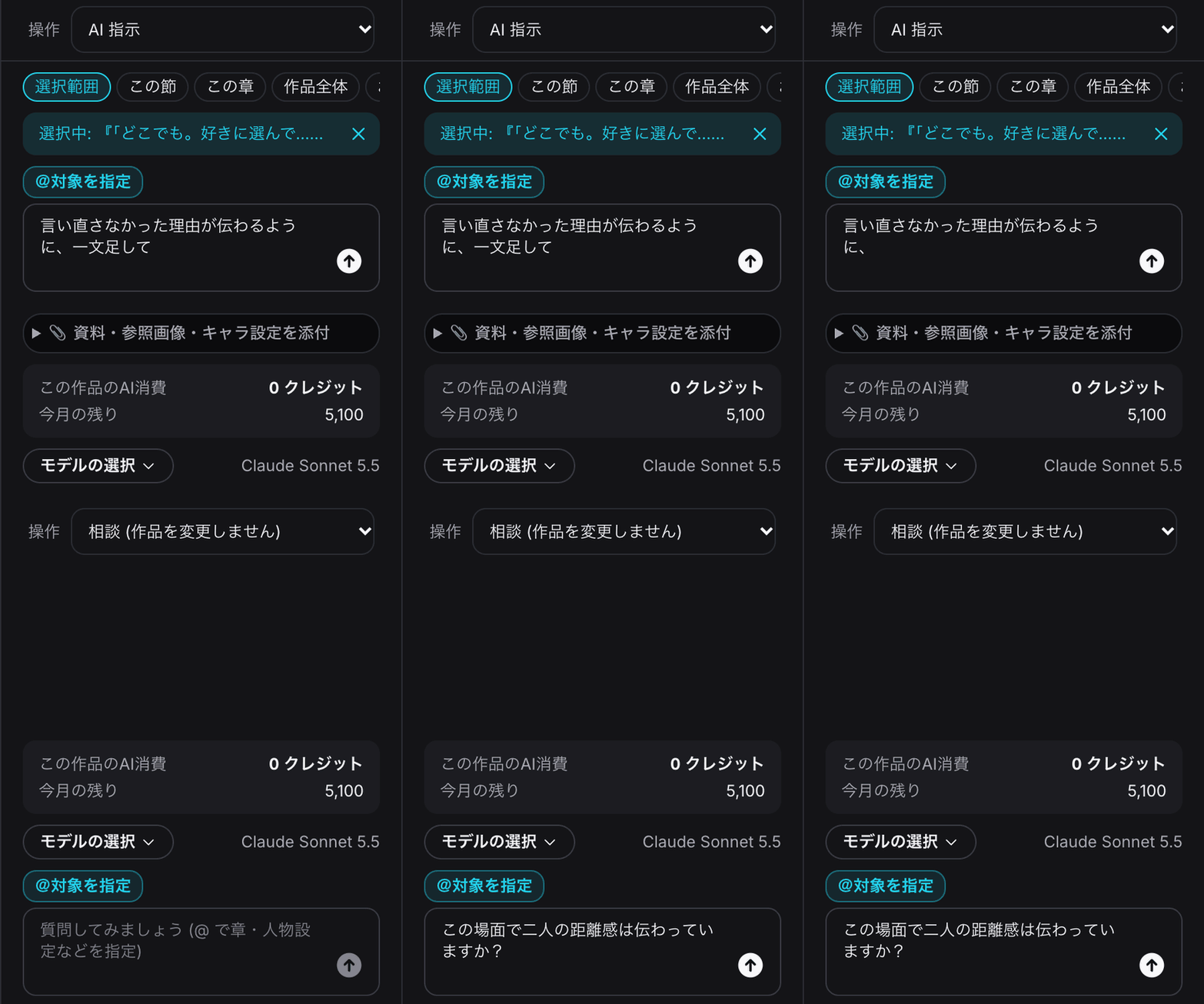
The AI instruction box -
See the plan and credits before it runs
A plan of which sections change comes first; untick anything you want to skip. Then an estimate appears, and nothing starts until you press "Agree and run".
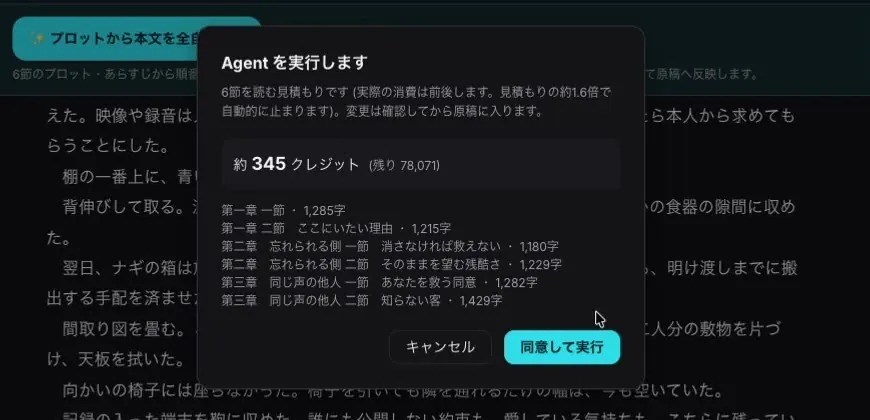
Estimate before running -
Review chapter rewrites as diffs
Red is removed, green is added. Accept or reject each change, or accept all. Only accepted changes enter the manuscript.
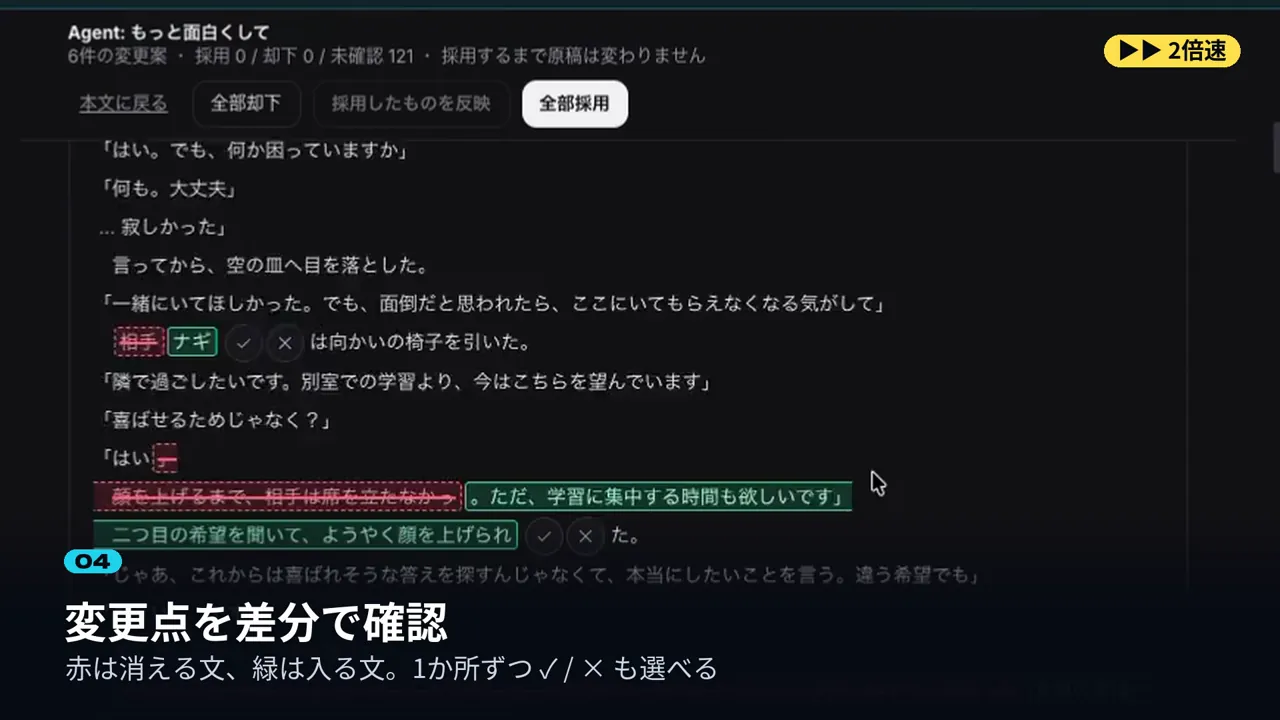
Reviewing the diff -
Turn your novel into a manga
Pick chapters, format and page count, check the estimate, and BunCho makes the manga as a new work. Your manuscript stays as it is.
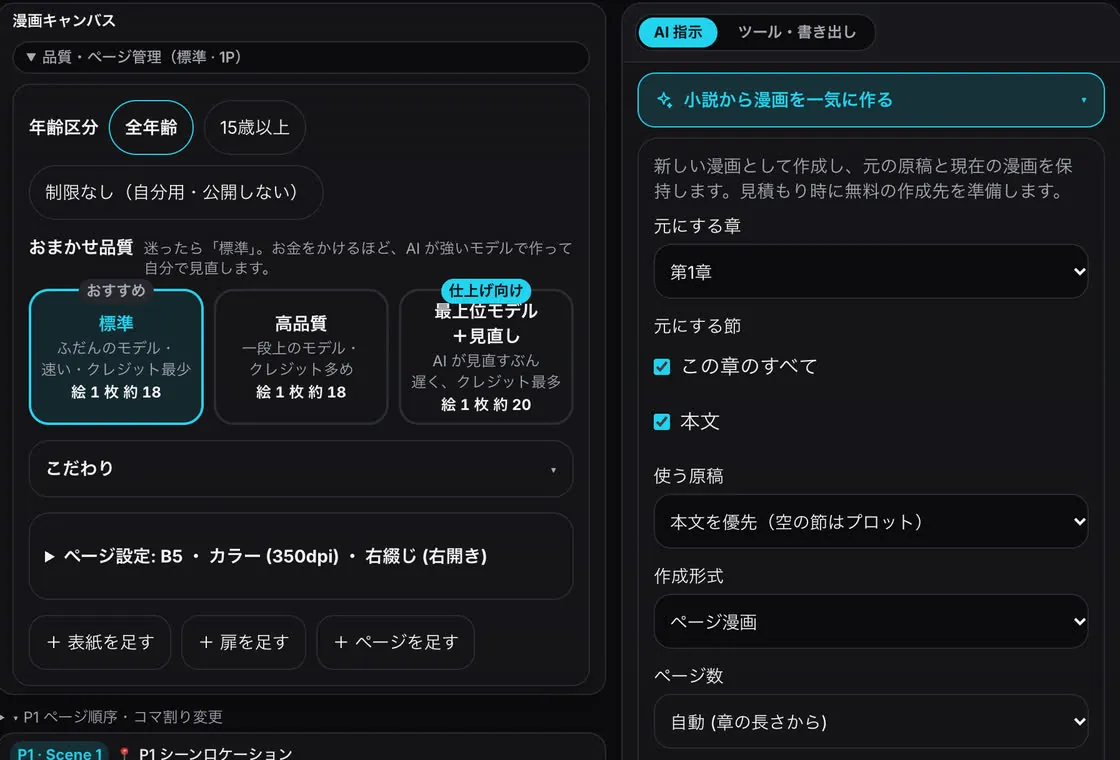
Novel to manga -
Story X-ray: foreshadowing and flow
Emotion, tension, pacing, foreshadowing and characters, layered by chapter. Unresolved setups appear in the diagnosis. Viewing it uses no credits.
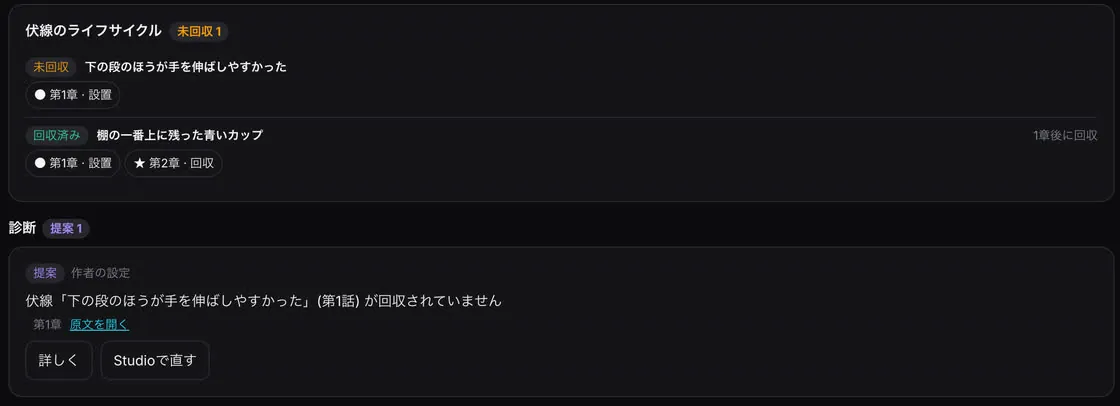
Story X-ray: foreshadowing
How a rewrite works
- Ask in one line — Write the request and pick the target: section, chapter or whole work.
- Check the plan — Untick changes you do not want.
- Agree to the estimate — Runs only after you agree, and stops automatically at about 1.6x the estimate.
- Accept the diff — Accept what you like; only that enters the manuscript.
Credits are shown before anything runs
- Before an AI edit, you see the sections, length and estimated credits
- It stops automatically at about 1.6x the estimate
- "Ask" does not change your work. Story X-ray uses no credits
FAQ
- Will the AI change my manuscript on its own?
- No. Changes are shown as diffs and only accepted ones are applied.
- How many credits does it use?
- It depends on how much is read. You see an estimate first and it stops at about 1.6x.
- Can I turn my novel into a manga or video?
- Yes: novel to manga, novel to storyboard, and novel to video are all available from the editor.
- Do I need to disclose AI use when submitting?
- Rules differ by site and contest and can change. Check each site's latest guidelines before posting.