Next episode
Carry over the last episode and make the next one
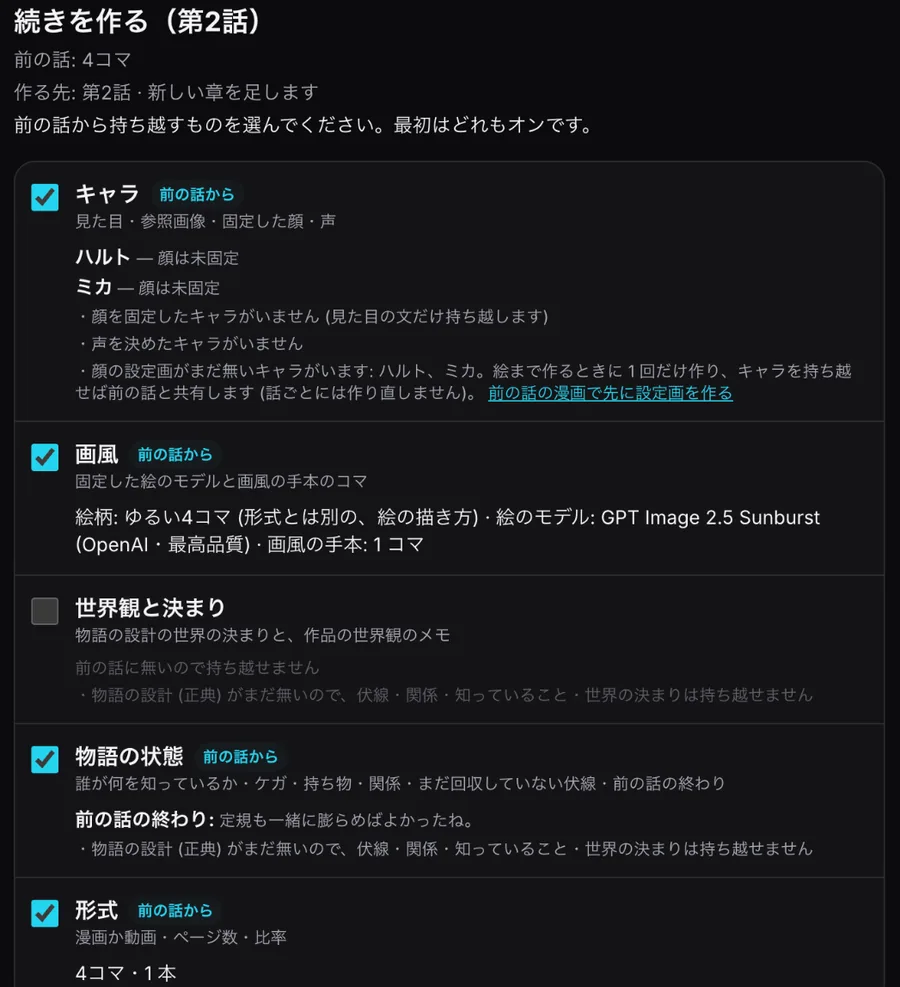
"Make the next episode" shows everything that carries over from the previous manga or video on one screen. Everything starts switched on, and you can turn items off. Items that cannot carry over show the reason.
Make the next episodeSee pricing
Free plan, no card needed. Paid plans start with a 7-day free trial (card required at sign-up).
Screenshots show the Japanese version of the studio. The studio is also available in English, Spanish, Portuguese and Traditional Chinese.
What it does
-
Characters and art style
Look, reference images, locked faces and voices are shared with the last episode, along with the art model and style reference panels. Characters without a face sheet are named, and the sheet is made once when you draw.
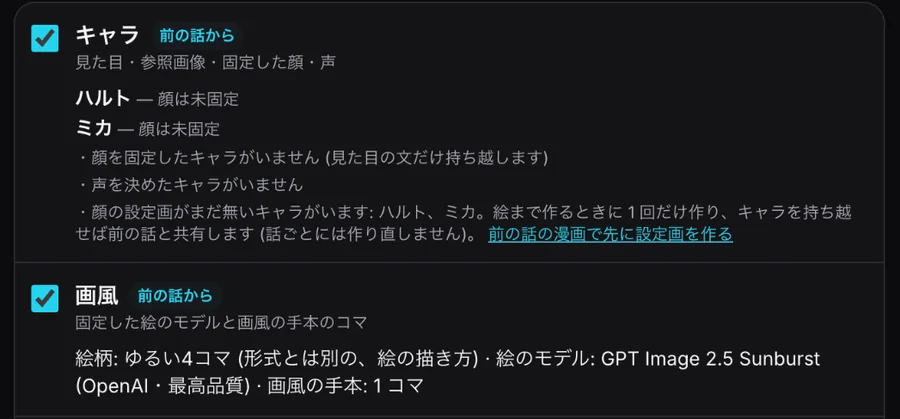
Characters and art style (example: no locked faces yet) -
Story state
Who knows what, injuries, items, relationships, open setups and how the last episode ended go into the next draft. Without a story canon, only the ending carries over, and the screen says so.

Story state (example) -
Recap and next direction
The recap is built from the last storyboard by fixed rules, without AI. Pick a suggested direction or write your own (or leave it empty).
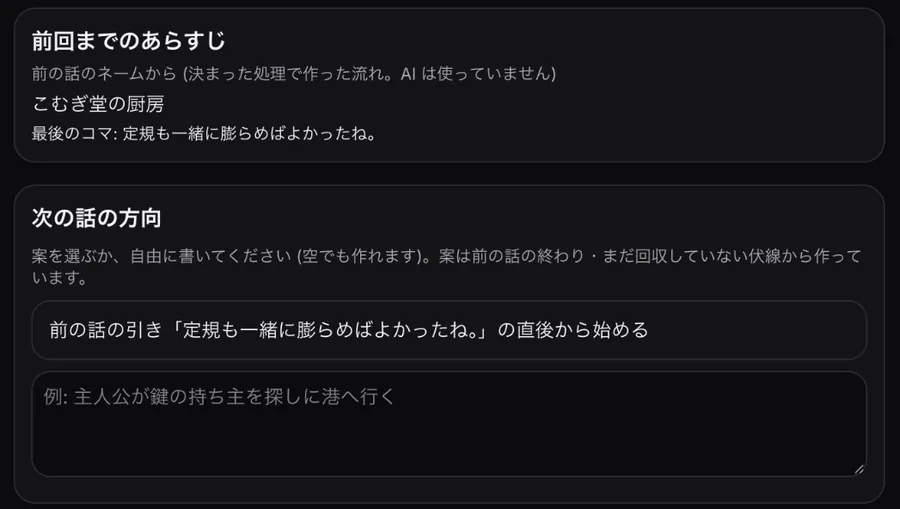
Recap and next direction -
Storyboard only, or with art
"Storyboard only" estimates just the script; "with art" makes script, storyboard, character sheets, final art and balloons. Getting an estimate is free and generates nothing.
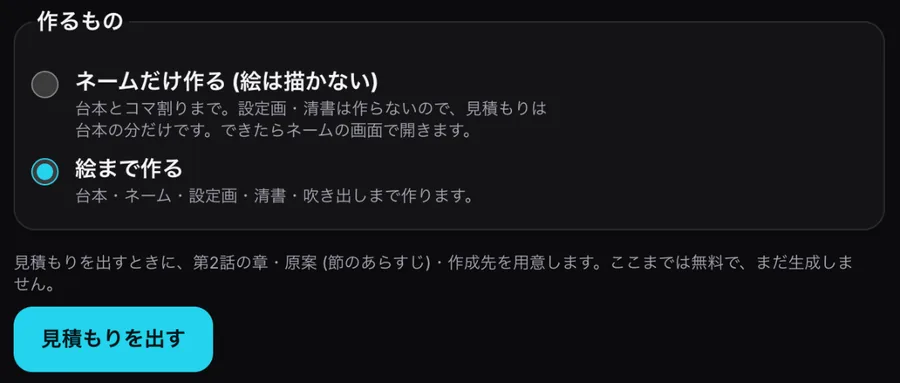
Choose what to make
How to make the next episode
- Press the button — Press "Make the next episode" in the manga editor and other places.
- Check what carries over — Turn off anything you do not need.
- Set the direction — Pick a suggestion or write your own.
- Estimate and agree — Getting the estimate is free; agree to make it the same way as other manga and videos.
Credits are shown before anything runs
- Carry-over screen, recap and direction suggestions: no AI, no credits
- Getting the estimate: free
- Storyboard only: the script part only
- Carried-over characters do not need new face sheets
FAQ
- Can I continue a manga as a video?
- You can change the format, but manga characters are not yet copied into video directly; video uses the work's character settings.
- What if I turn off characters?
- The new episode gets separate characters and new character sheets when drawing.
- What if I only get an estimate?
- The prepared chapter and draft stay and are used next time.