Novel to video
From your novel or storyboard to a draft video with one approval
Start from a chapter or a storyboard. Storyboard → image board → story check → art → motion → voices → music → timeline → 720p draft, with one estimate and one approval. If the story check finds a contradiction, it stops before spending on video.
Free plan, no card needed. Paid plans start with a 7-day free trial (card required at sign-up).
Screenshots show the Japanese version of the studio. The studio is also available in English, Spanish, Portuguese and Traditional Chinese.
What it does
-
The storyboard is the script
The storyboard is the source; the image board is how the video shows it. With no storyboard, one is made from the novel first, and existing panel art is reused instead of redrawn.
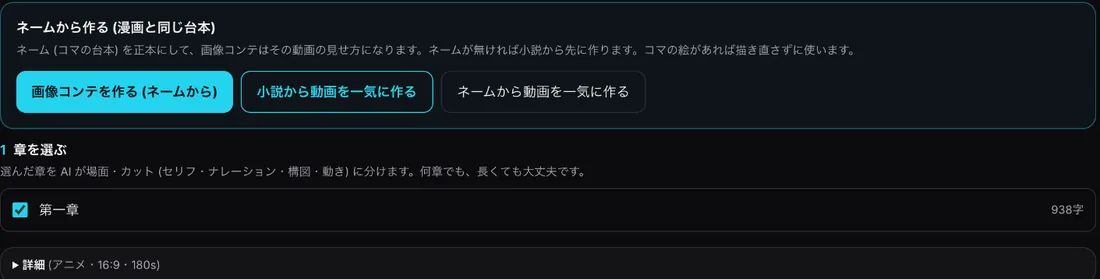
Video editor: make from the storyboard -
Pick the source and aspect ratio
Choose the source (novel or current storyboard) and aspect ratio (16:9 or 9:16). Length follows the number of panels, about 9 seconds each.
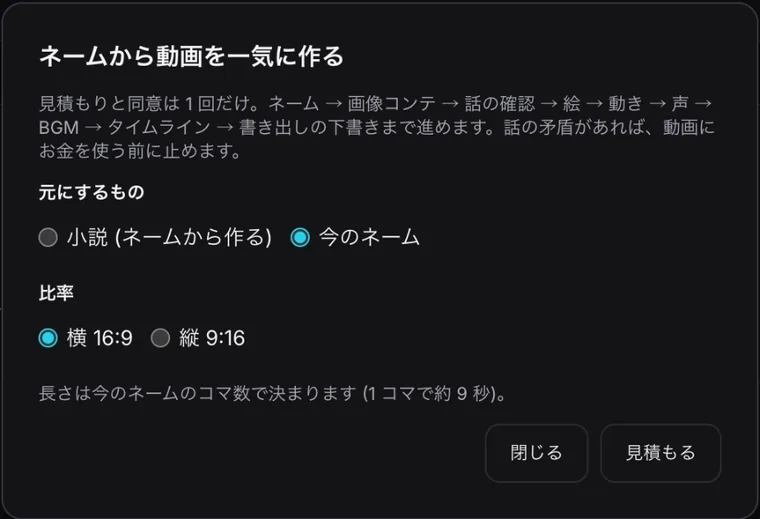
First screen -
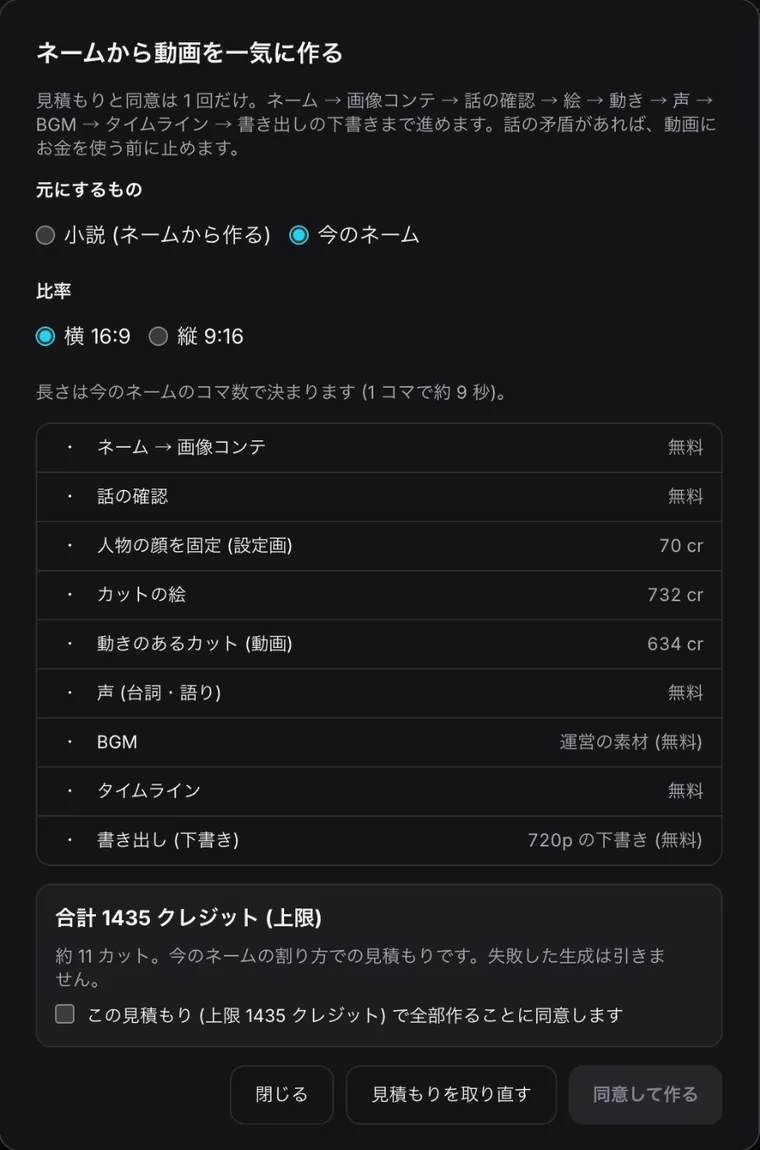
See which steps are free
Each step shows its cost. In the example, image board, story check, voices, music, timeline and the 720p draft were free; credits were used for character sheets, cut art and moving cuts. Failed generations are not charged.
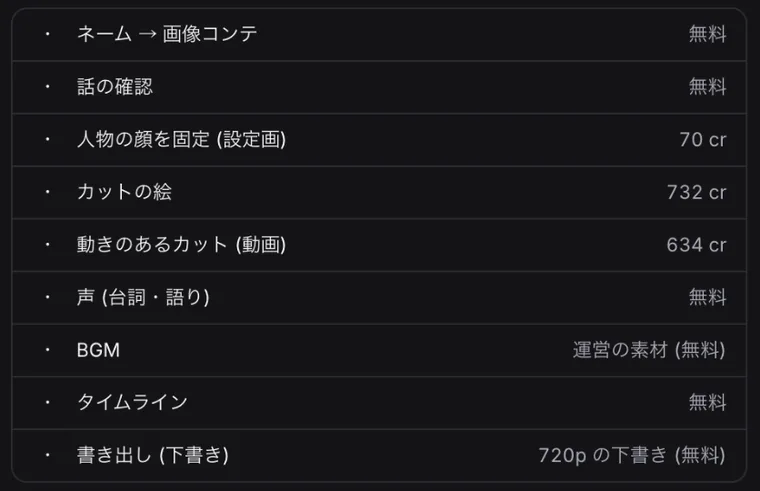
Per-step estimate (example)
How to make a draft video
- Choose the entry — "Make a video from the storyboard" in the storyboard view, or the buttons in the video editor.
- Pick source and ratio — Novel or current storyboard; 16:9 or 9:16.
- Agree once — Press Estimate to see each step and the total cap, tick the agreement and press "Agree and make".
- Review the draft — Watch the 720p draft, edit cuts, voices and timeline, then export the final.
Credits are shown before anything runs
- Example: about 11 cuts (16:9), total cap 1,435 credits: character sheets 70, cut art 732, moving cuts 634 (estimate on 2026-10-24)
- Image board, story check, voices, timeline, music (house library) and the 720p draft: free
- Failed generations are not charged
FAQ
- Is the export only 720p?
- The one-pass flow ends with a 720p draft for review. Export the final from the video editor.
- Can the same storyboard become a manga?
- Yes. Manga and video share the same storyboard.
- What if the story does not hold together?
- The story check stops before money is spent on video.
- How long is the video?
- Length follows the number of storyboard panels, about 9 seconds per panel.