Storyboard (name) editor
Make a manga storyboard from your novel and edit it like text
A "name" is the storyboard script that both manga and video use: panel numbers, scene notes, place, framing, characters and "speaker: line". Pick a chapter and section to make only the storyboard, before any art is drawn.
Free plan, no card needed. Paid plans start with a 7-day free trial (card required at sign-up).
Screenshots show the Japanese version of the studio. The studio is also available in English, Spanish, Portuguese and Traditional Chinese.
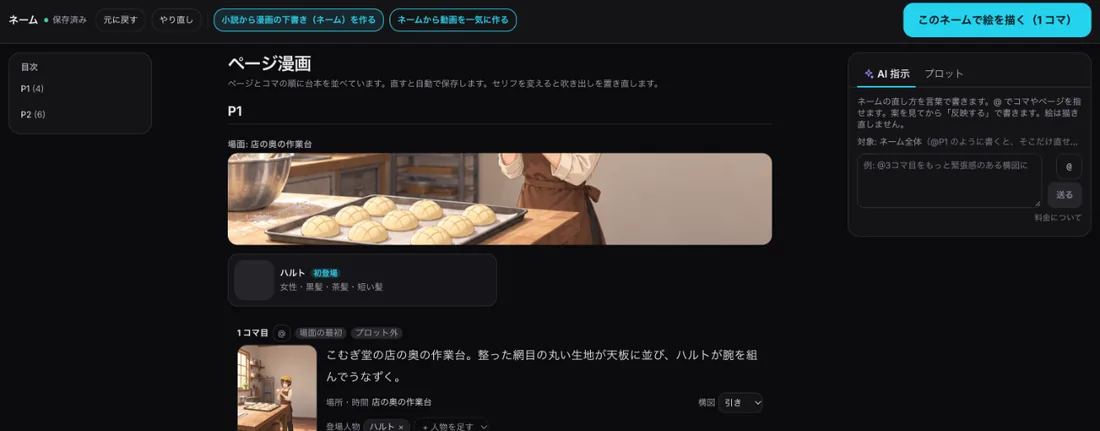
What it does
-
From chapters to a storyboard only
Choose chapter, sections, format and page count. BunCho writes only the storyboard (panel notes, framing, place, characters, dialogue) and draws nothing. If the work has a plot, pages follow its beats. Replace or append; the old version stays in history.
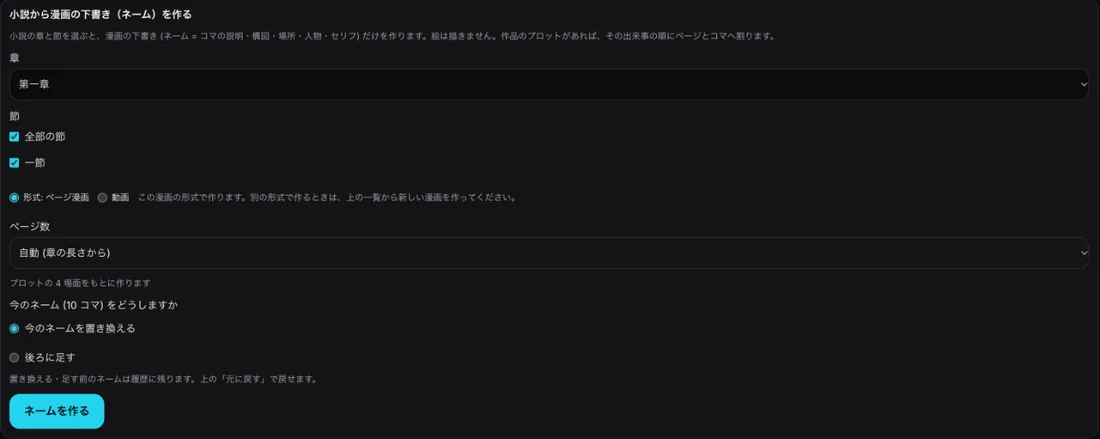
Make a storyboard from the novel -
Read and edit like a manuscript
Each panel shows a thumbnail, scene note, place and time, framing, characters and lines. Edit lines as "speaker: line", reorder or delete. Changes save automatically and can be undone.
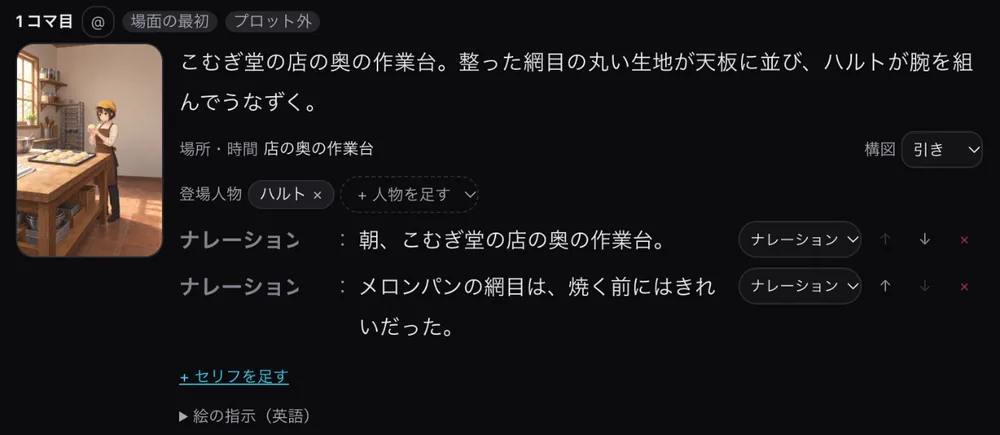
Storyboard text (panel 1) -
Point at panels with the AI box
Use @ to point at panels or pages and describe the change. You see a proposal; nothing changes until you press Apply, and no art is redrawn.
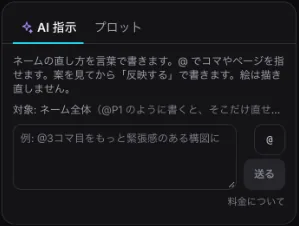
The AI box -
Linked to your plot
The Plot tab lists the plot beats and how many panels show each. Click a beat to highlight its panels; panels outside the plot are marked.
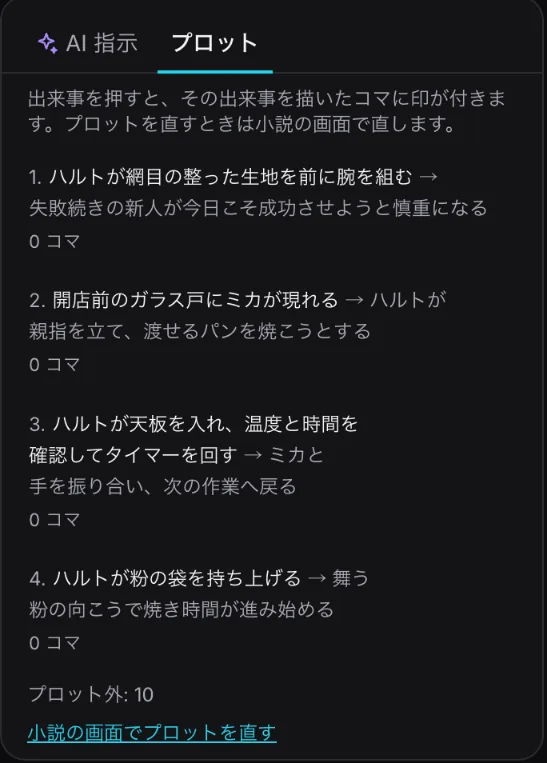
Plot tab (example work)
From novel to storyboard
- Pick chapter and sections — Press "Make a storyboard from the novel" in the storyboard view.
- Choose format and length — Pick the manga's format or video and the page count (auto uses the chapter length).
- Make the storyboard — Only the script and panel layout are made; no art.
- Edit, then draw — Edit lines and scenes, ask the AI, then press "Draw art from this storyboard" and check the estimate.
Credits are shown before anything runs
- Making a storyboard: only the script part (no art)
- Editing text, reordering and deleting: no credits
- Drawing art: estimated from panel count and quality before it runs
FAQ
- What is a "name"?
- The Japanese term for a manga storyboard: panel layout plus scene, characters and dialogue for each panel. In BunCho, manga and video share the same storyboard.
- Does it change my novel?
- No. The storyboard is a separate script; your manuscript stays as it is.
- Can I edit an existing manga's storyboard?
- Yes. Switch the manga editor to "Name" to edit its panels as a storyboard.
- Is the previous storyboard lost?
- No. It stays in history and you can undo.