Turn Your Lyrics into a Song with AI: 30 to 120 Seconds, with Vocals
You have lyrics but no way to turn them into music. Even without composing software or an instrument, you can make a song with vocals once you have lyrics and a genre. This guide shows how to make a 30 to 120 second track from your lyrics with BunCho's song maker, plus lyric-writing tips that make your words easier to sing.
Write lyrics that are easy to set to music
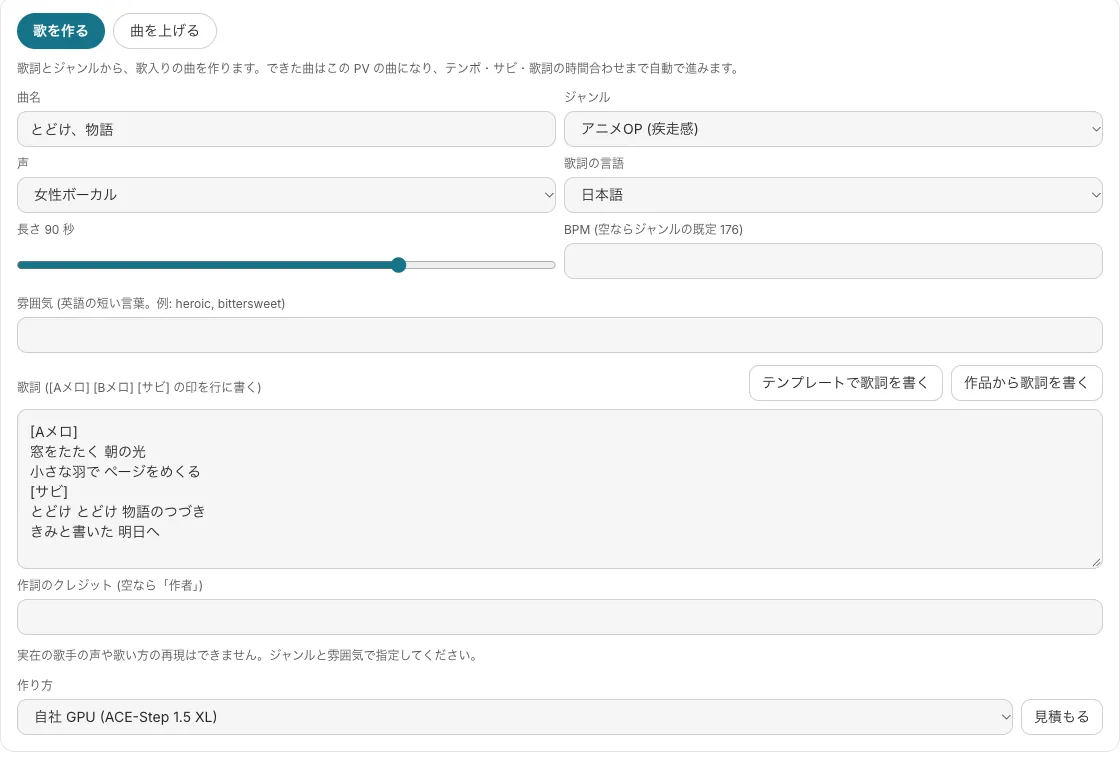
When you turn lyrics into a song, the biggest factor is whether it's clear which part is the chorus. In BunCho (pronounced "boon-cho" — Japanese for "Java sparrow"), you write section tags in square brackets above your lines, and the song is built along those sections. Japanese pop calls the parts A-melo (verse), B-melo (pre-chorus) and sabi (chorus), which is what the screenshot shows. Without tags, the big moment may not land where you expect.
The other factor is the number of sounds per line. Japanese songs usually put one sound unit (a mora) on each note; in English, think in syllables and stress. When lines in the same section have similar counts, the melody settles and the song is easier to sing.
- Open the chorus with a short repeated phrase (for example: "Carry on, carry on, the story goes on")
- Verse sets the scene, pre-chorus builds the feeling, chorus says it outright
- Put the song title or your story's key word at the top of the chorus so it sticks
- Don't cram a line. It turns into rapid-fire singing that's hard to follow
Choosing genre, voice and length
The song maker asks you to choose the following. If you're unsure, pick a genre and leave the rest at the defaults.
- Genre: 8 options — anime opening, J-rock, idol pop, EDM pop, hyperpop, city pop, ballad and lo-fi
- Voice: female, male, duet or instrumental (no vocals)
- Length: 30 to 120 seconds. About 30 seconds of chorus suits social shorts; around 90 seconds works well for a music video
- BPM: leave it blank for the genre's default tempo. Add mood with short English words such as heroic or bittersweet
How to make a song from your lyrics
The song maker lives in the music video tab of the video editor. The song you make becomes the track for your music video.
-
1Open the song maker in the music video tab
Open your project's video and choose to make a song in the music video tab. If you already have a song you made yourself, import it with the upload option instead.
-
2Set title, genre, voice and length
Enter a title and choose genre, voice and length. You can also set the lyric language, BPM and mood here.
-
3Enter your lyrics
Paste your lyrics with a section tag above each part. No lyrics yet? Draft them from a lyric template or from your own story. You can also add a lyricist credit; if left blank, a generic author credit is used.
-
4Get an estimate, then make the song
Check the credit estimate, then make the song. It takes about 1 to 3 minutes. If you like it, choose to use this song, and tempo, chorus position and lyric timing are set up automatically.
-
5Make a video to match the song
From the same screen, go on to a music video where your character dances, an anime-opening-style video or a lyric video.
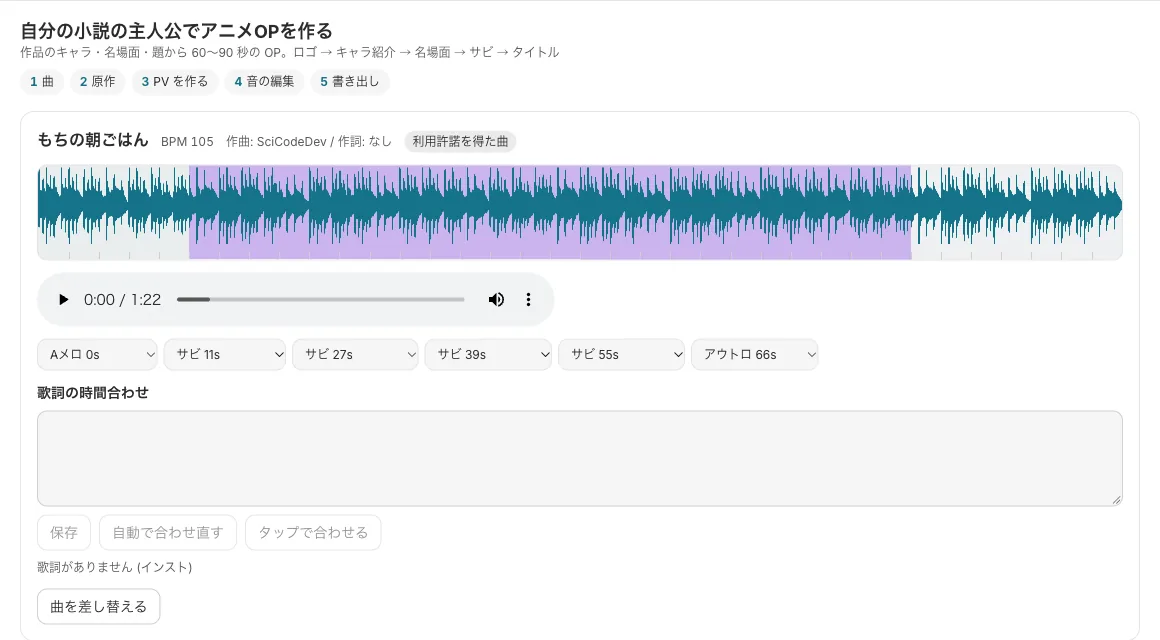
Songs are made on BunCho's own GPUs
The song maker runs on BunCho's own GPUs (ACE-Step 1.5). On the higher plans, songs made this way cost 0 credits up to a guideline limit of 30 songs a day and 300 a month. On other plans and during the trial, you see an estimate first and credits are used only when you agree.
When the GPUs are busy, you may wait in a queue. Reaching the limit never switches you automatically to a paid model.
Start from a lyric template
Writing to a template gives your song a tidier structure than starting from a blank page. The lyric templates come in 16 types, each with a set number of bars and what to write in each part.
-
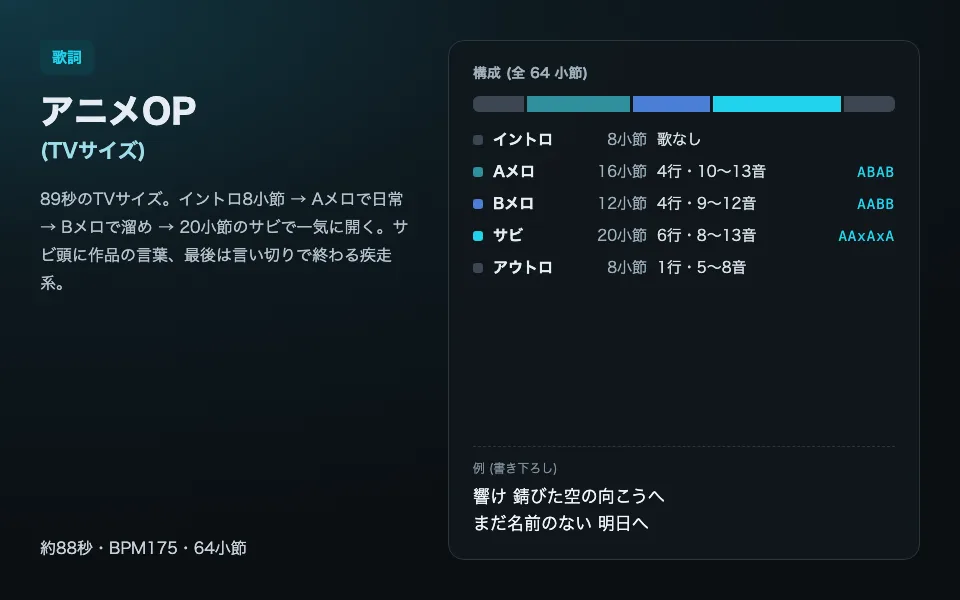
Anime opening (TV size)
About 88 seconds. Intro, everyday scene in the verse, tension in the pre-chorus, then a chorus that bursts open. A driving, up-tempo template.
Use this template -
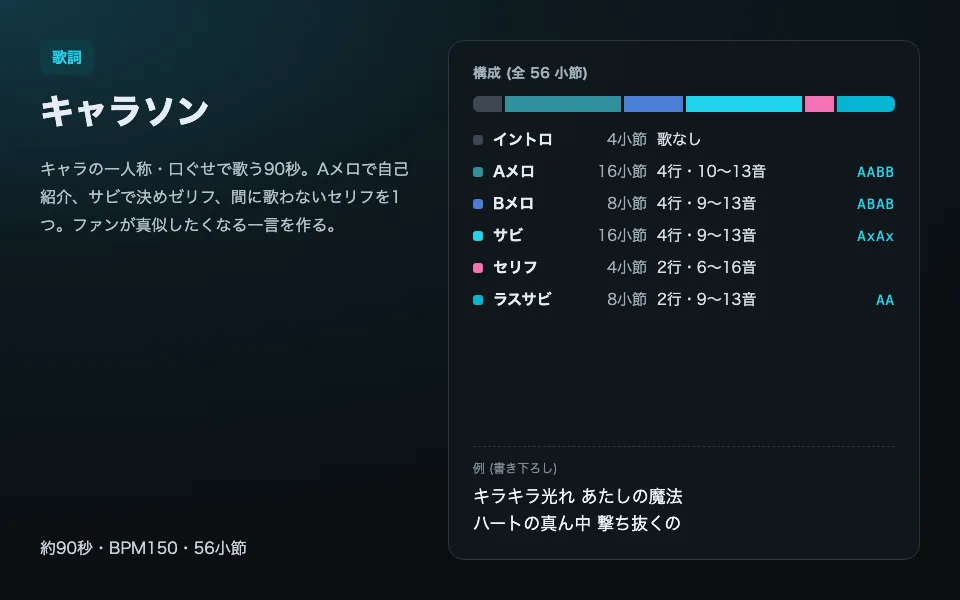
Character song
About 90 seconds sung in the character's own voice and catchphrases. A signature line in the chorus, and one spoken line in between.
Use this template -
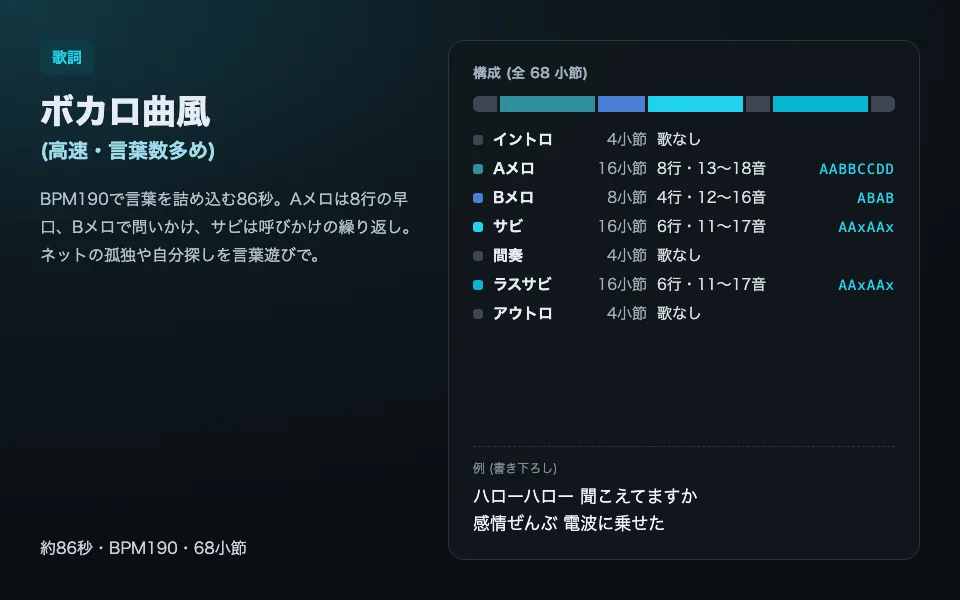
Vocaloid-style song
The word density and song structure typical of Vocaloid music (songs made with singing-synthesizer software).
Use this template -
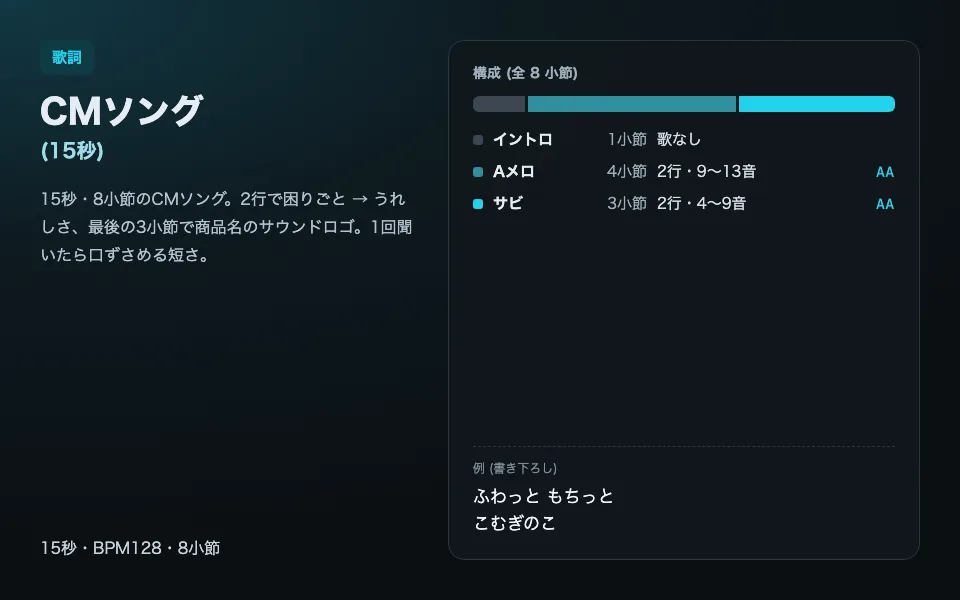
15-second ad jingle
8 bars, 15 seconds. Built so the shop or product name sticks in the last 3 bars.
Use this template
Using your song, and the rules
You can use songs made in the Studio in your own videos and projects. BunCho's terms of use say music made in the Studio may be used for personal or commercial purposes, excluding material you brought in and anything involving third-party rights.
If you plan to release on a music distribution service, check that service's current terms, including how it treats AI-made music. Remixes are limited to your own songs or songs you have permission to remix.
See also: Commercial use of AI-made work / How to make a music video for your song
FAQ
Do I just enter lyrics to get a song?
Yes. Enter lyrics and choose a genre, and you get a 30 to 120 second song with vocals. If you have no lyrics, draft them from a lyric template or your own story.
Can it sing in a specific singer's or singing software's voice?
No. The vocals are BunCho's own AI singing voice and do not reproduce real singers or specific singing software. Describe the feel with genre and mood instead.
Can I use the song on YouTube?
You can use songs made in the Studio in your own videos and projects. For distribution services, check each service's current terms.
How long does one song take?
About 1 to 3 minutes after you press the button. When BunCho's GPUs are busy, you may wait in a queue.
Pages we checked for this guide
- BunCho Studio (English) bun-cho.work · primary source
- BunCho Terms of Use: use of generated content and fair use of in-house GPUs (in Japanese) bun-cho.work · primary source
Features, prices and screens are as of October 12, 2026 and may change. Images are actual BunCho screens (some show the Japanese interface) and samples made in the Studio. Japanese original