No time to draw storyboards
Pick a script or chapter and the scene-by-scene boards appear. Just fix the order and images.
For filmmakers & short-drama creators
Before the shoot, you want the team and the client to see the finished picture. BunCho makes a scene-by-scene storyboard from your script and animates the cuts into an animatic or previs. Set camera moves and VFX per cut, and hand off to Premiere via XML when you want to finish there.
Turn a storyboard into videoSee plans & prices
First-time subscribers get a 7-day free trial. Cancel anytime during the trial and you pay nothing.
Pick a script or chapter and the scene-by-scene boards appear. Just fix the order and images.
Animate the cuts into an animatic, with voice, BGM, sound effects and subtitles.
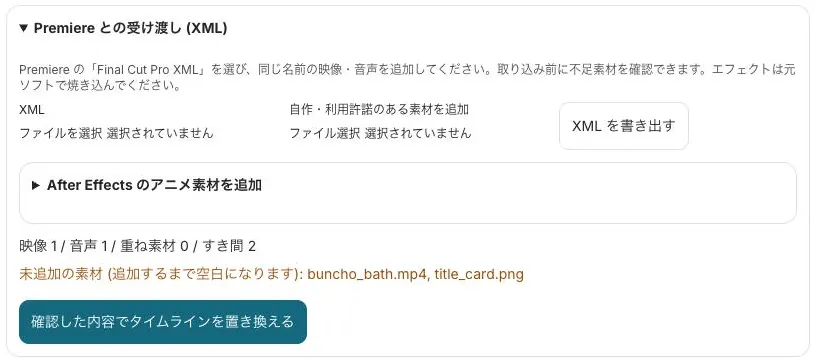
Hand off to Premiere via Final Cut Pro XML (FCP7 XML) and overlay After Effects Lottie.
Real samples made in the studio (our team made them in Japanese — you work in your own language). Start from the same template with one click.
Storyboard cuts turned straight into video.
Runs on our own GPUs — unlimited on Feast and above (fair-use limits apply)
Start from this sample →Widescreen (16:9) can run on our own GPUs.
Runs on our own GPUs — unlimited on Feast and above (fair-use limits apply)
Start from this sample →A vertical (9:16) short drama, made with hosted models.
Uses a hosted model (uses credits; you see an estimate before it runs)
Start from this sample →Set the style (live-action, anime, illustration and more) and aspect ratio, and image boards appear scene by scene.
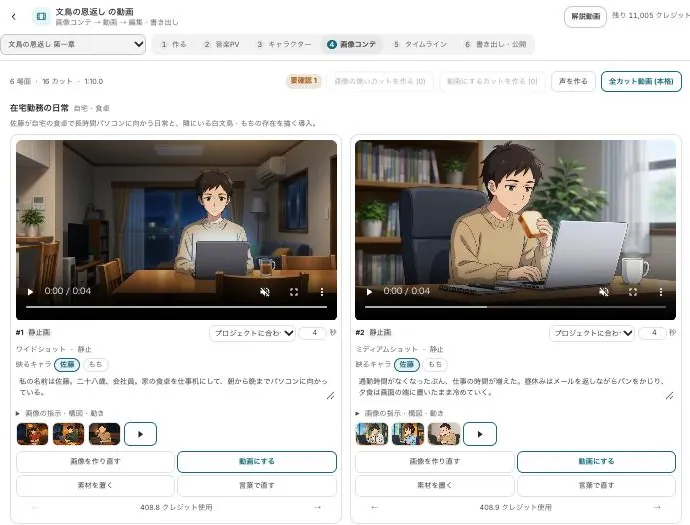
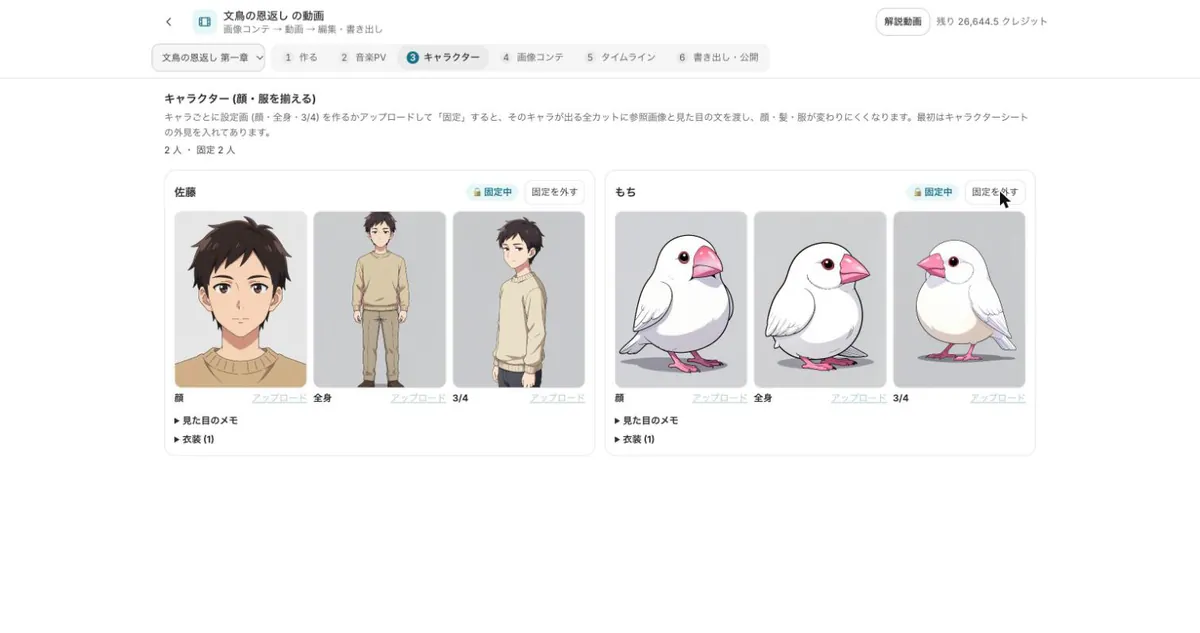
Choose quality and model per cut, plus camera moves (40) and VFX (18). Lock characters to keep faces and costumes consistent.
Finish with voice, BGM, sound-effect and subtitle tracks, and export 480p to 4K (2160p). Hand off to Premiere via XML.
Economy, Standard, High quality or our own GPUs — raise quality only for the hero shots.
Every cut shows its credit estimate before it's made.
Premiere (XML), After Effects (Lottie).
Start from a sample and swap in your own story. New subscribers get 7 days free; the free tools stay free.
Turn a storyboard into videoSee plans & prices
All use cases · Writers · Comic artists · Indie comics & zines · VTubers & streamers · YouTubers · Musicians · Game devs & TTRPG · Teachers · Small businesses · Ad agencies · On your phone