Vertical short drama × AI
Self-contained episodes or a 10–30 episode series
A self-contained episode opens in the middle of the incident and closes within 60 seconds. A series cuts just before the answer and reveals it in the first two seconds of the next episode. Either way, deciding the format and the canon first keeps every episode on track.
Start from the templateSee the series sheet
7-day free trial (1,000 credits on any plan; video limited to one work and 30 seconds in total). Opening a template and editing dialogue use no credits.
One-shot vs. series
Self-contained
Fit the hook, the flip and the resolution into 60 seconds. Of the template’s 15 shots, replace the final “next time” shot with the resolution.
Series
Stop the last shot just before the answer and reveal it at the start of the next episode. Listing each episode’s final line in advance keeps the format steady as episodes pile up.
Formats that keep people watching
The vertical-drama formats in BunCho include sub-formats such as contract marriage, revenge after a broken engagement, rags to riches, hidden identity, reincarnation and second chances, palace drama, end-of-the-world survival, village revival and family secrets, each with one-line idea starters.
Keep the same faces
Locked character sheets can be copied to other videos in the same work for free with “use characters locked in another video”.
A free check before you post
Paste your script into the free buzz check to review the first one or two seconds, length, subtitle readability, ending, rights, AI disclosure and more against fixed rules. It calls no AI and does not promise views.
Use it as a trailer
Make a character introduction video first and use it as a trailer before episode one. There is a template for introduction videos too.
The series sheet (six items)
Decide these six things before you start a series.
| Item | What to decide |
|---|---|
| One-line pitch | Who loses what, and what they win back |
| Lead | What they want and their weakness |
| Antagonist | Someone with an obvious, unfair edge |
| Twists and reveals | What happens where across 10–30 episodes |
| Final line of each episode | What the next episode reveals at the start |
| Style and locked characters | Make and lock character sheets, then use them in every episode |
Vertical short dramas on our official channel
Vertical short dramas made with AI by the BunCho production team and published on our official YouTube channel. 60–75 seconds per episode, 9:16, with subtitles.


All are fictional stories made with AI; the characters do not exist. Audio and subtitles are in Japanese.
How one episode comes together
From opening the template to exporting a 9:16 MP4. The screenshots show the Japanese version of the Studio.
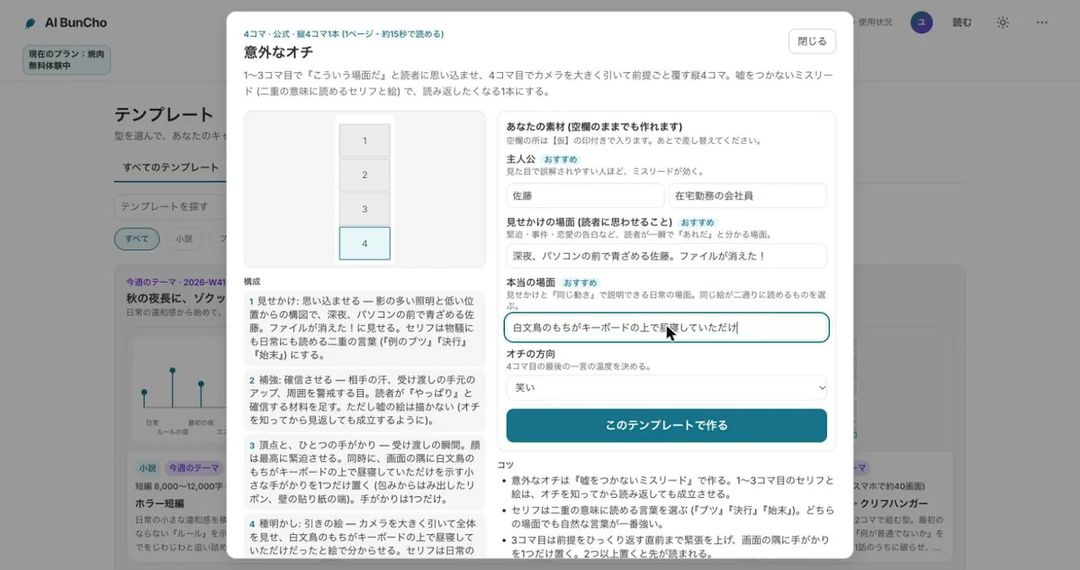
Open the template and add your material
Open “Vertical short drama, 1 episode / 1 minute”, enter the lead, the other character, what the ending almost reveals and the episode number, then create the project. You get a 9:16 project with a 15-shot breakdown and dialogue slots. No images are made yet, so no credits are used.
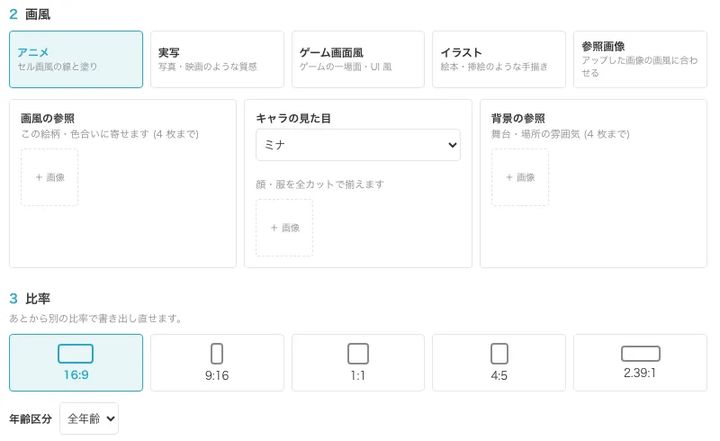
Pick the style, aspect ratio and video quality
Styles: anime, live-action, game screen, illustration or your reference image. Ratios: 9:16, 16:9, 1:1, 4:5 or 2.39:1. Video quality has five levels, so you choose between speed and credits. Starting from your own script, you pick a chapter and build the storyboard from it.
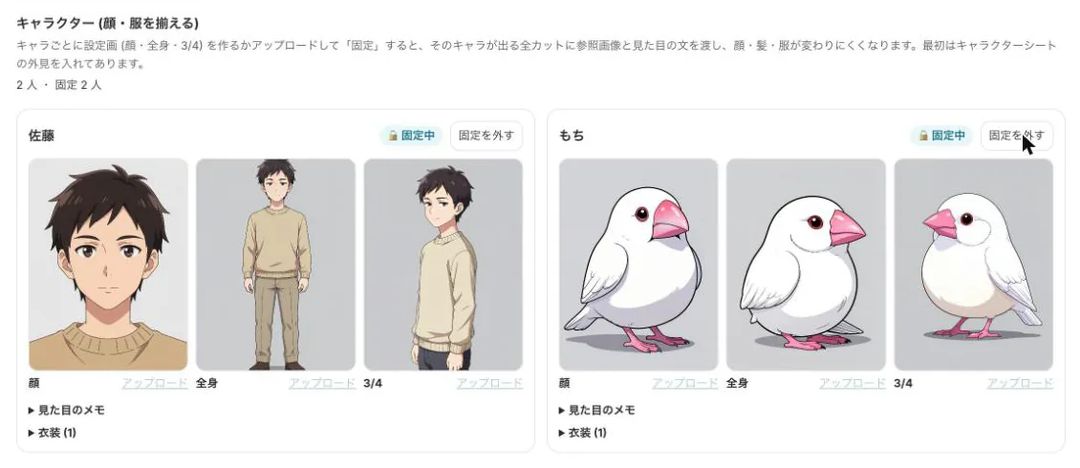
Make character sheets and lock them
Create face, full-body and three-quarter sheets, then lock them. Every shot with that character receives the sheets and the appearance notes. Shots where the face or outfit drifts from the sheet are flagged for review.
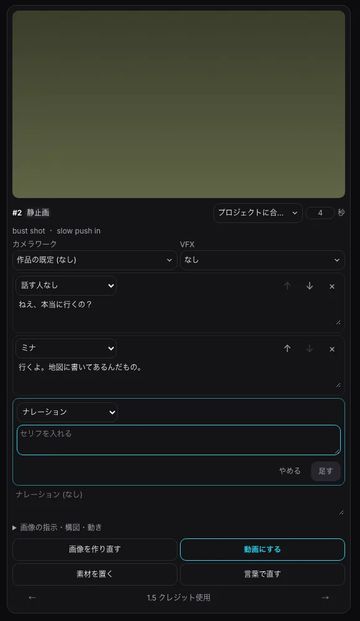
Rewrite the lines and fix images in words
On each storyboard card you edit the dialogue, the speaker, the camera move and the VFX. Editing dialogue costs no credits. To change an image, describe the fix in words, such as “make it the moment the papers hit the floor”.
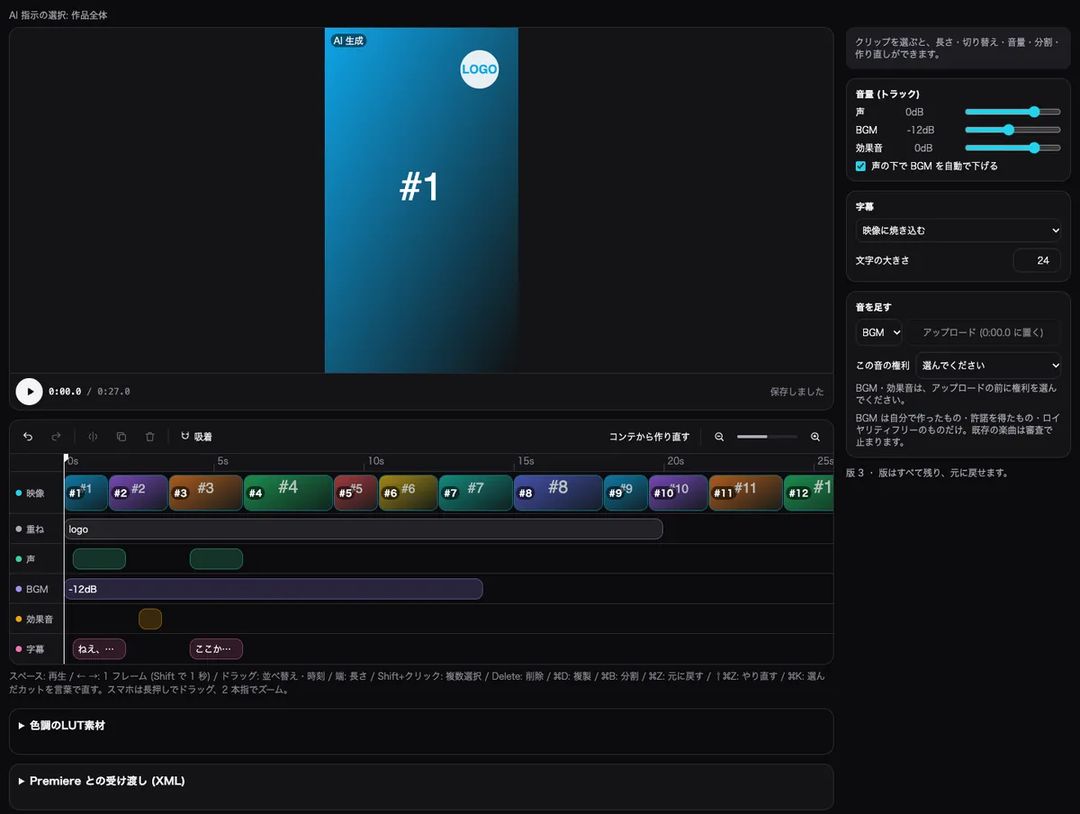
Choose the shots to animate; add voice, music and subtitles
You can turn only the key shots into AI video and show the rest as stills with a slow push-in. Building the timeline from the storyboard lays out video, voice, music, sound effects and subtitles on separate tracks, and the music can duck automatically under the voice.
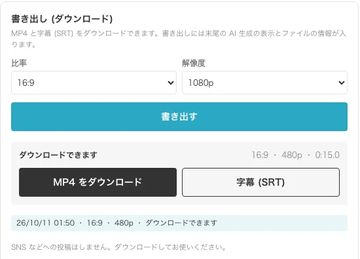
Check for mismatches and export in 9:16
Before exporting you can check for mismatches in faces, outfits, number of people, on-screen text, voices, subtitles and lines, at no credit cost. Download a 9:16, 1080p MP4 and an SRT subtitle file; an AI-generated notice is added at the end of the video.


Pricing and free trial
- The Studio is used on a paid plan. New users get a 7-day free trial with 1,000 credits on any plan (video limited to one work and 30 seconds in total).
- AI video credits depend on the number of seconds and the video quality. You see an estimate before anything is generated, and large amounts ask for your confirmation.
- Opening a template, editing dialogue, building the timeline and the pre-export mismatch check use no credits.
Rules for AI-made video
- Footage, voices and images are made with AI. An AI-generated notice is added to the end of every exported video.
- You cannot use real people’s faces, names or voices, or characters from other people’s works. Your characters must be your own.
- Music must be your own, licensed or royalty-free. Existing commercial songs are stopped at the export review.
- Exports go through a review, and content resembling real people or existing works may be stopped. You can fix the flagged shots and export again.
FAQ
Should I start with a single episode or a series?
One approach is to fix the format and visual style with a self-contained episode, watch the response, then turn it into a series. For a series, make the series sheet and each episode’s final line first.
Can I keep characters’ faces the same from episode two on?
Within the same work, locked character sheets can be copied to other videos for free. Shots where the face or outfit differs from the sheet are flagged for review.
What does the buzz check look at?
The hook in the first one or two seconds, length, subtitle readability, ending, call to action, engagement hooks, clichés, mass-produced feel, rights, fiction labeling and AI disclosure, checked against fixed rules. It points out what is likely to help when fixed; it does not promise views.
Can I change the episode length?
The template is 60 seconds and 15 shots. On the timeline you can reorder shots and drag their edges to change their length. Starting from your own script, the number of shots follows the script’s length.
Start from the 60-second episode template
Fifteen shots that open in the middle of the incident and cut just before the answer. Check the flow on the storyboard, then animate only the shots you choose.
Start from the templateSee plans and pricing
7-day free trial (1,000 credits on any plan; video limited to one work and 30 seconds in total). Opening a template and editing dialogue use no credits.