AI manga & comics
4-panel comics from a one-line idea
Write the situation in one line and BunCho turns it into a four-beat script, then thumbnails, art and balloons. You decide what it’s about and where the laugh lands; fix only the panels you want and export at social media sizes.
Make it in the StudioFree trial comic
7-day free trial (1,000 credits on any plan). You always see an estimate before anything is made, and no credits are used until you agree.

Making 4-panel comics with AI
One line, four beats
Write a situation in one line and the AI builds a setup–development–twist–punchline script. To choose the punchline yourself, add one sentence about what happens in panel four.
Seven formats
Everyday relatable, workplace relatable, straight man and funny man, unexpected punchline, seasonal, promo for your work, and character introduction. Vertical and 2×2 layouts.
Keep posting with the same character
Lock a character sheet and every panel is drawn from it. Locked characters can be reused in other comics and videos.
Quick tweaks
After it’s done, choose cuter, change the expression, funnier, stronger punchline or gentler.
Redraw one panel
Select a panel and change the expression, direction, angle, background or line, redraw just that part, or get three alternatives. You see an estimate first.
Just a phone browser
No app needed. You can try the idea and style steps without signing in; detailed edits happen on the manga screen.
How a 4-panel comic comes together
From a one-line idea through script, thumbnails (name), art and speech balloons. The screenshots show the Japanese version of the Studio.
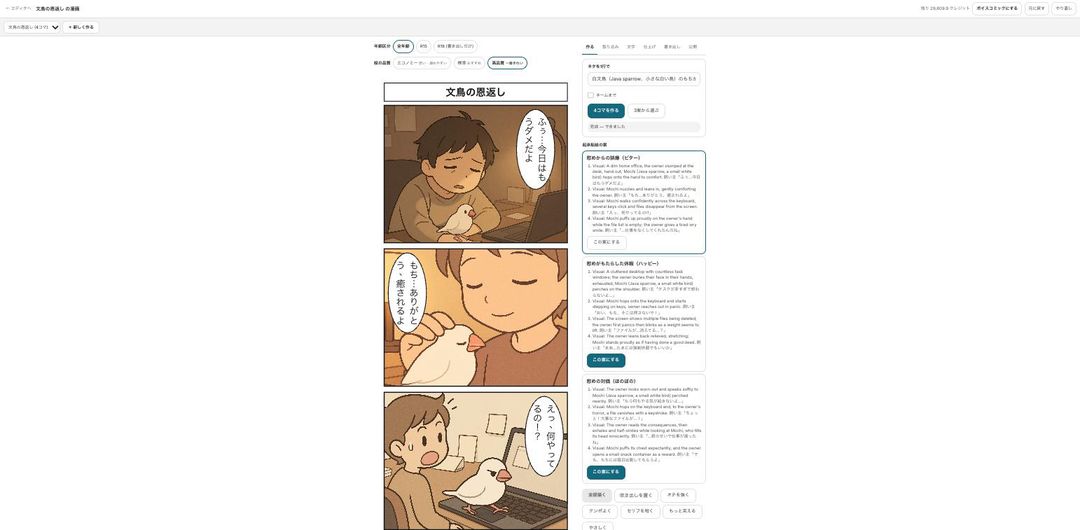
Write the idea in one line
Open “Make a 4-panel comic”, write your idea in a line and pick the lead character. You get setup–development–twist–punchline options and choose the punchline you like. You can try the idea and style steps without signing in.
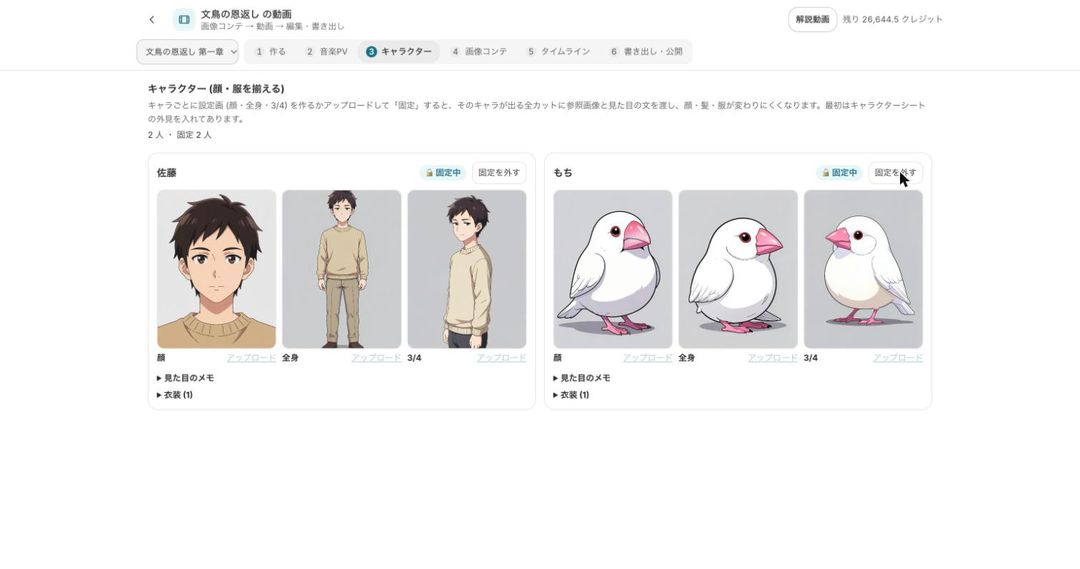
Make and lock character sheets
Create face and full-body sheets and lock them, and every panel is drawn from those sheets, so faces, hair and outfits stay consistent. You can also make an expression set (joy, anger, sadness, fun, surprise, embarrassment, neutral) in one go.
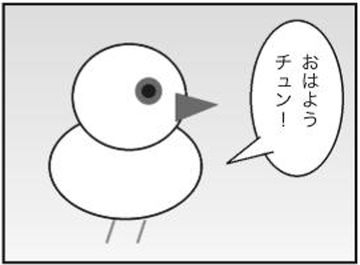
Finish with balloons, sound effects and effects
Dialogue goes into speech balloons. Sound effects and effects such as speed lines are placed automatically away from faces (you can turn this off and edit each one, at no extra credit cost). Ruby text and screen tones are available too.
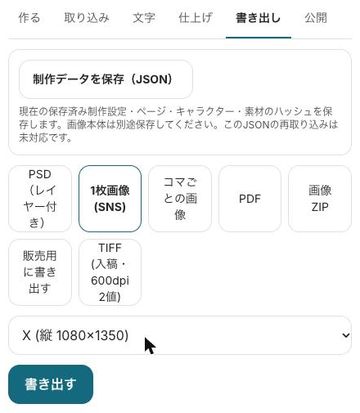
Export and post
Export a single image for social media, one image per panel, PDF, TIFF, PSD, an image ZIP or webtoon slices. Exporting uses no credits (only the AI 2× upscale does).


Comics made in the Studio
Samples made with BunCho Studio and its templates: 4-panel comics, page manga and vertical-scroll webtoons.


All are fictional works made with AI; the characters do not exist. The dialogue is in Japanese.
Export sizes by platform
Sizes available under “single image (social)” in the export tab. Margins are filled with the paper color.
| Platform | Size | Best for |
|---|---|---|
| X (portrait) | 1080×1350 | Vertical and 2×2 (default size) |
| X (landscape) | 1600×900 | Horizontal 4-panel |
| Instagram (square) | 1080×1080 | 2×2 |
| Instagram (portrait) | 1080×1350 | Vertical and 2×2 |
| pixiv | About 1700×2400 (page ratio kept) | Vertical |
| Carousel | 1080×1080 per panel | One panel per swipe |
Pricing and what you can try for free
- The Studio is used on a paid plan. New users get a 7-day free trial with 1,000 credits on any plan.
- Credits depend on the number of panels, the art quality and any redraws. You always see an estimate first, and nothing is used until you agree.
- To see a result before subscribing, the trial 4-panel comic is free once a day per account.
- Exporting and the automatic placement of sound effects and effects use no credits.
Rules for AI-made comics
- The art is drawn by AI. When you publish, make it clear that the work was made with AI.
- You cannot use real people or characters from other people’s works. Use your own characters or official ones such as Mochi the Java sparrow.
- Whether a contest or platform accepts AI-assisted work differs from place to place. Check each one’s current rules before you submit.
FAQ
Can I make a 4-panel comic if I can’t draw?
Yes. Write one line and the Studio handles the script, thumbnails, art and balloons. You decide what it’s about and where the laugh is.
Can I try it for free?
The trial 4-panel comic is free once a day per account (continuing, editing and publishing come after you subscribe). The Studio also has a 7-day free trial with 1,000 credits.
How many credits does one comic use?
It depends on the number of comics, the art quality and redraws, so there is no fixed amount. You always see an estimate first, and if your balance is short it stops instead of making it.
Can I use characters from my favorite series or celebrities?
No. Real people and characters from existing works cannot be used. Use your own characters or official ones such as Mochi the Java sparrow.
Can I turn it into a vertical video?
Yes. From the export tab, “make a vertical video (video editor)” takes it straight into a short video.
Start from a one-line idea
Script, thumbnails, art and balloons on one screen, and you redraw only the panels you don’t like.
Make it in the StudioSee plans and pricing
7-day free trial (1,000 credits on any plan). You always see an estimate before anything is made, and no credits are used until you agree.