AI manga & comics
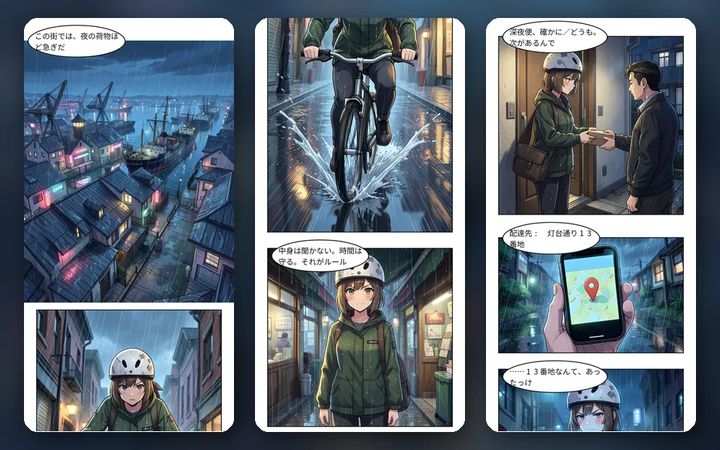
Full-color webtoons for vertical scrolling
Make full-color comics that are read by scrolling down on a phone. Start straight from a novel chapter, set the reading pace with gutters and panel heights, and export slices sized for webtoon platforms.
Make it in the StudioSee the episode template
7-day free trial (1,000 credits on any plan). You always see an estimate before anything is made, and no credits are used until you agree.

Making webtoons with AI
From a novel chapter
Open a chapter and turn it into a webtoon. Your manuscript stays as it is. You can also make only the thumbnails first and fix panels and lines before the art.
Control the reading pace
Change the gutter (space between panels) and each panel’s height to mark scene changes and build tension. Add panels below to keep going.
Check it on a phone
Preview it as a phone to see how it reads when scrolled, before you export.
Start from an episode format
The template “Episode: hook → development → cliffhanger” starts you with an ending that leads into the next episode.
Same faces across a series
Lock character sheets and every panel is drawn from them. “Continue (episode N)” carries characters, art style and story state into the next episode.
Slices for webtoon platforms
Choose a destination such as WEBTOON CANVAS and the export is split automatically to 800 px wide and up to 1,280 px per image. You can also turn it into a vertical video.
How a 4-panel comic comes together
From a one-line idea through script, thumbnails (name), art and speech balloons. The screenshots show the Japanese version of the Studio.
Create a webtoon
Choose “Webtoon (vertical scroll)” when creating a new project, pick the canvas width and create it. You can also start from the episode template.
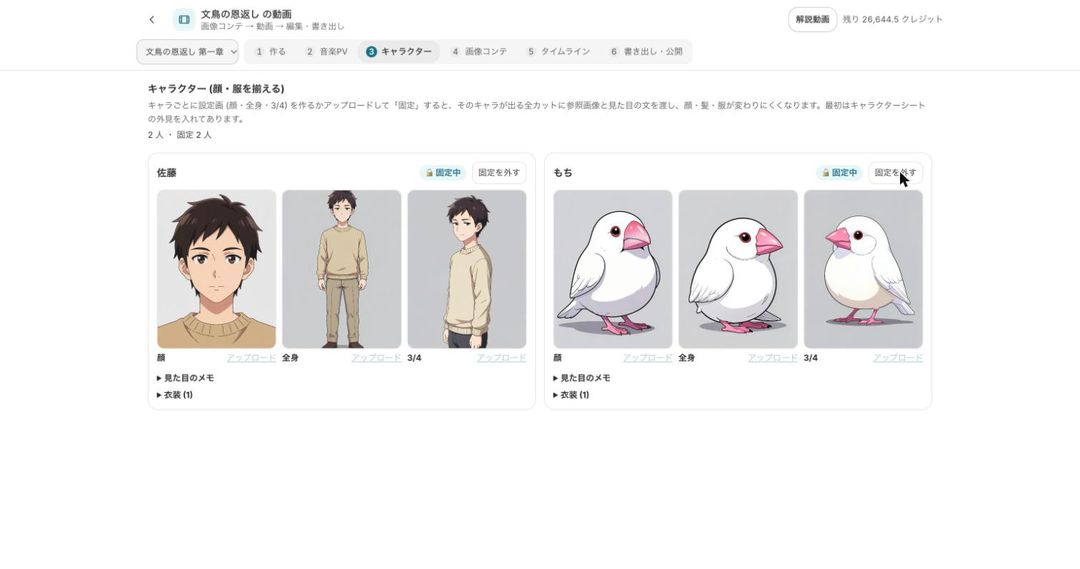
Lock the characters
Create and lock character sheets so every panel is drawn from the same sheet. Expression sets can be made in one go.
Set gutters and panel heights
Adjust the gutter and panel heights to pace the read, and add panels below to continue. Preview it as a phone.

Export as slices
Choose the webtoon export (sliced), pick the destination and export. Exporting uses no credits.


Settings you use for webtoons
The main settings and export on the webtoon screen.
| Setting | What it does |
|---|---|
| Canvas width | Chosen when you create the webtoon |
| Gutter | Wider gutters make scene changes and pauses easier to feel |
| Panel height | Change each panel’s height to change the reading speed |
| Add panel below | Add the next panels of the story underneath |
| Preview on phone | Check how it reads when scrolled |
| Webtoon export (sliced) | Split to 800 px wide and up to 1,280 px per image for the destination |
Comics made in the Studio
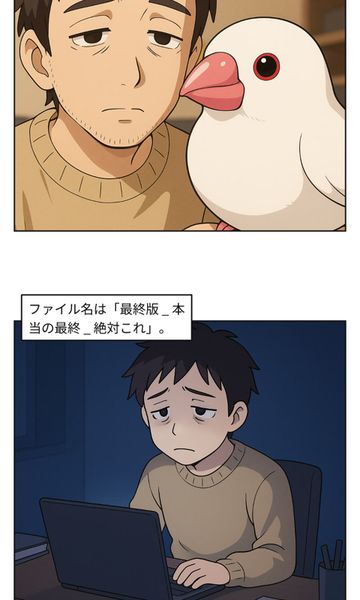
Samples made with BunCho Studio and its templates: 4-panel comics, page manga and vertical-scroll webtoons.


All are fictional works made with AI; the characters do not exist. The dialogue is in Japanese.
Pricing and what you can try for free
- The Studio is used on a paid plan. New users get a 7-day free trial with 1,000 credits on any plan.
- Credits depend on the number of panels, the art quality and any redraws. You always see an estimate first, and nothing is used until you agree.
- To see a result before subscribing, the trial 4-panel comic is free once a day per account.
- Exporting and the automatic placement of sound effects and effects use no credits.
Rules for AI-made comics
- The art is drawn by AI. When you publish, make it clear that the work was made with AI.
- You cannot use real people or characters from other people’s works. Use your own characters or official ones such as Mochi the Java sparrow.
- Whether a contest or platform accepts AI-assisted work differs from place to place. Check each one’s current rules before you submit.
FAQ
Can I turn my novel into a webtoon?
Yes. Open the chapter and turn it into a webtoon. The comic is created as new and your manuscript stays as it is.
Can I export at the size webtoon platforms need?
Choose the webtoon export (sliced) and a destination such as WEBTOON CANVAS, and the image is split automatically to 800 px wide and up to 1,280 px per image.
Can characters look the same from episode two on?
Lock character sheets and every panel is drawn from them. “Continue (episode N)” carries characters, art style and story state into the next episode.
How many credits does it use?
It depends on the number of panels and the art quality. You see an estimate first, and nothing is used until you agree.
Can I post AI comics on webtoon platforms?
Rules on AI-assisted work differ by platform. Check each platform’s current rules before you post.
Start from a one-line idea
Script, thumbnails, art and balloons on one screen, and you redraw only the panels you don’t like.
Make it in the StudioSee plans and pricing
7-day free trial (1,000 credits on any plan). You always see an estimate before anything is made, and no credits are used until you agree.