Drawing takes too long to post every day
One line → three story options → finished art. Or stop at the layout, check the pacing, then draw.
For comic artists & webcomic creators
You have the jokes, but drawing every panel stops you posting. BunCho turns one line into three four-panel story options, then takes the one you pick through layout, art and speech balloons. Mix in your own hand-drawn pages, or redraw only the panels you don't like.
Make a 4-panel comic from one lineSee plans & prices
Paid plans start the day you sign up. Cancel anytime.
One line → three story options → finished art. Or stop at the layout, check the pacing, then draw.
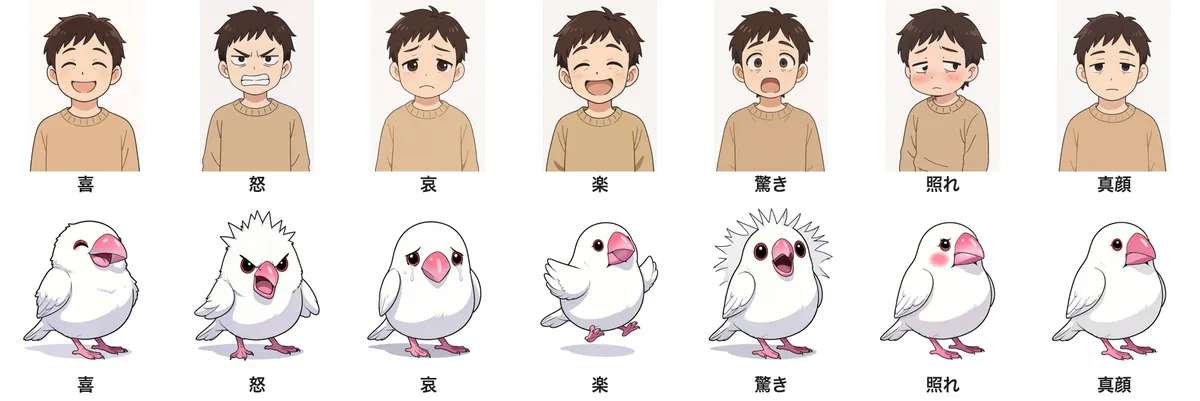
Make a character sheet and lock it: every panel uses the same face, hair and outfit. Expression sheets come in one batch.
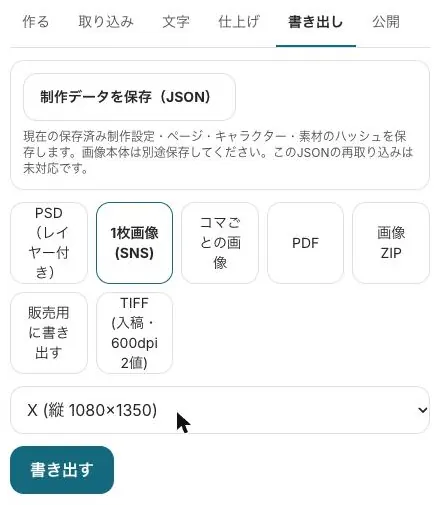
Export a single image for Instagram or X, split images for WEBTOON CANVAS, or 600 dpi TIFF, PDF with trim marks and layered PSD for print.
Real samples made in the studio (our team made them in Japanese — you work in your own language). Each one opens as a template you can start from.
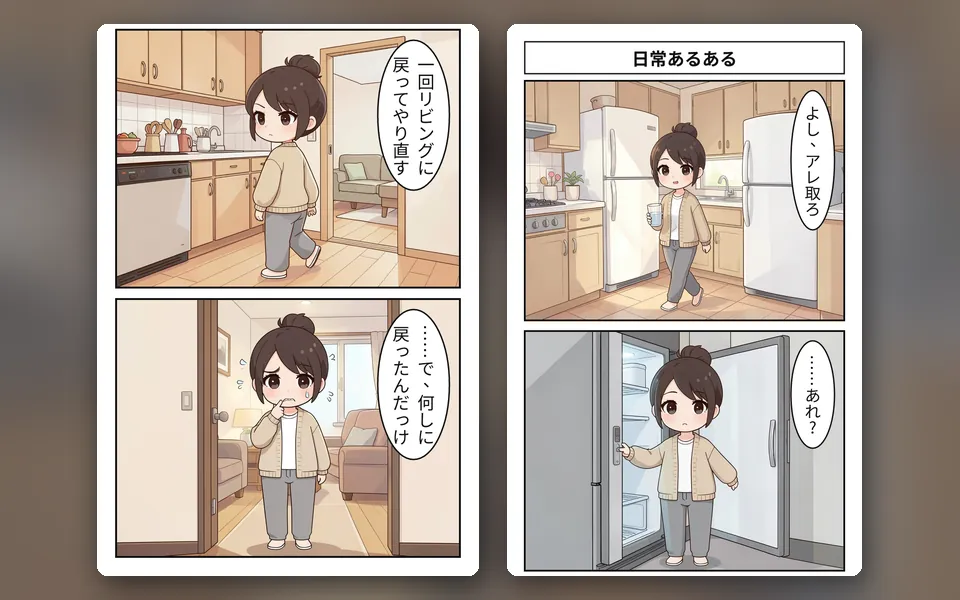
A setup-and-punchline strip about daily life — the format that gets the most reactions on social media.
Uses DREAM — estimate shown first
Start from this sample →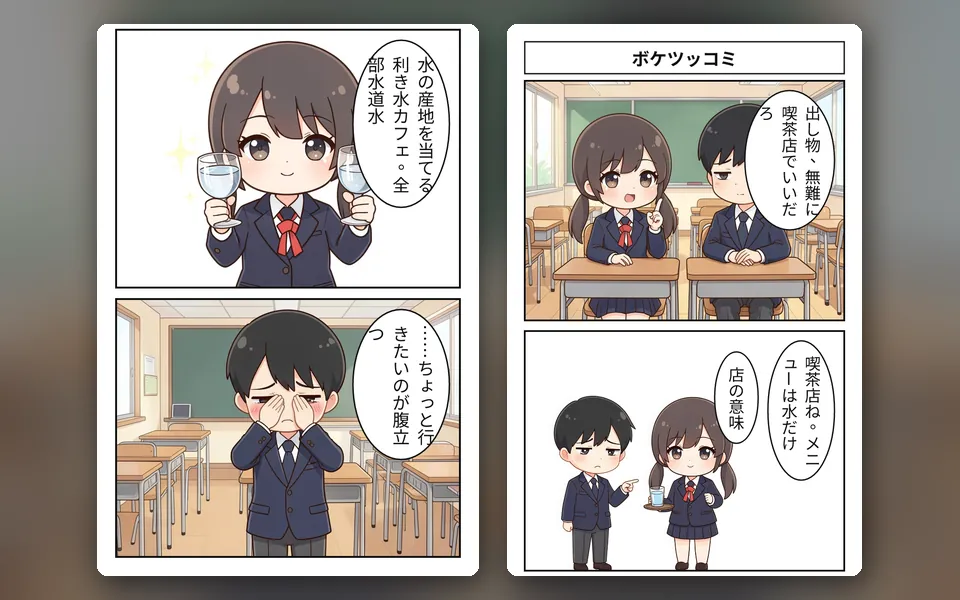
Two characters riff and the fourth panel lands the joke. Lock the pair and you have a series.
Uses DREAM — estimate shown first
Start from this sample →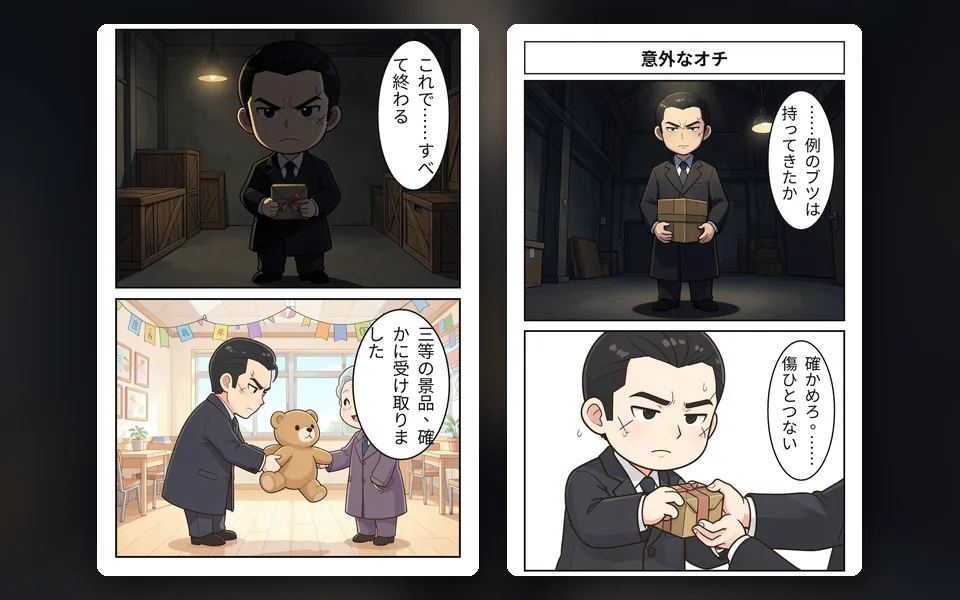
Three panels of setup, flipped in the last one.
Uses DREAM — estimate shown first
Start from this sample →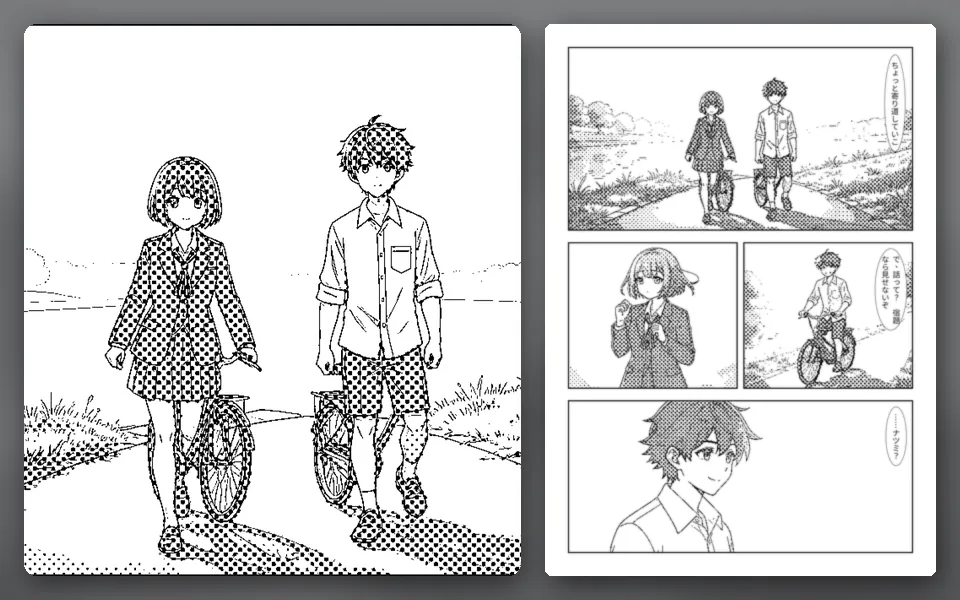
Page manga with spreads, page numbers and bleed. Add screentones to black-and-white pages.
Uses DREAM — estimate shown first
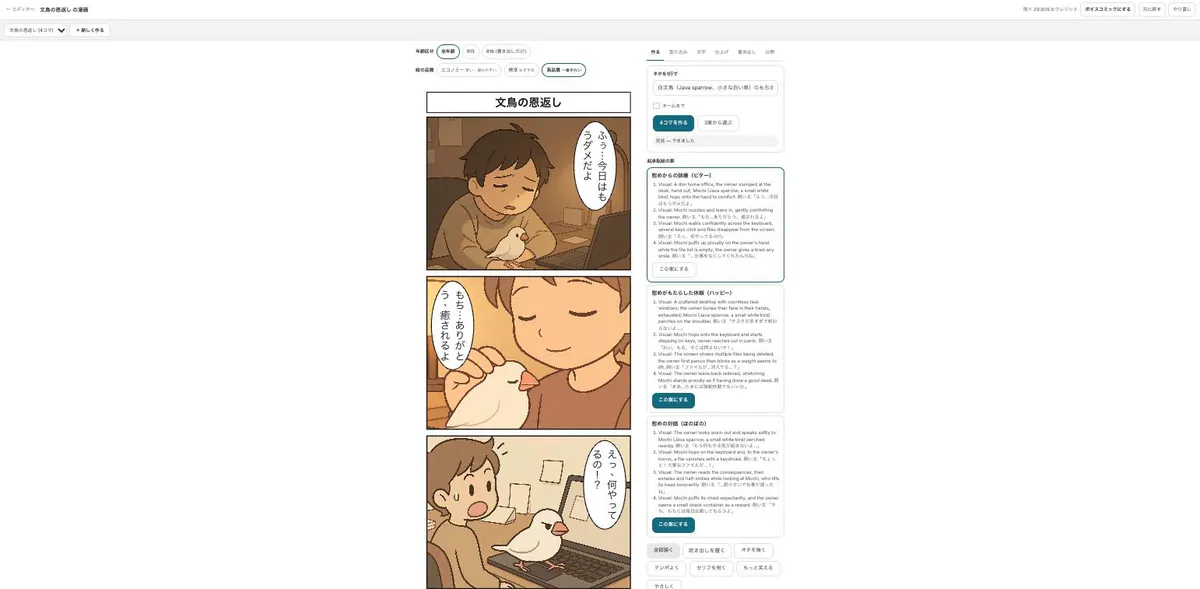
Start from this sample →Choose "4-panel" and type the idea. Three versions of the story beats appear; pick the punchline you like.
Make a character sheet and lock it so every panel draws the same person.
Dialogue goes into speech balloons. Export PNG, PDF, TIFF, PSD or webtoon slices.
Four-panel strips (vertical, 2×2 or horizontal), page manga for print and zines, and vertical-scroll webtoons.
Import layered PSD files from CLIP STUDIO PAINT or Photoshop into the same manuscript as AI panels.
Economy, Standard or High quality: rough out layouts cheaply and save high quality for the final pass.
Start from a sample and swap in your own story. The free tools stay free.
Make a 4-panel comic from one line
All use cases · Writers · Indie comics & zines · VTubers & streamers · YouTubers · Musicians · Game devs & TTRPG · Teachers · Small businesses · Ad agencies · On your phone · Filmmakers · Lyric Video & Kinetic Typography
BunCho (pronounced "boon-cho" — Japanese for "Java sparrow"). Our mascot Mochi is a white Java sparrow.
Next step
Free to sign up. A template opens with sample text in every field, ready to rewrite.